
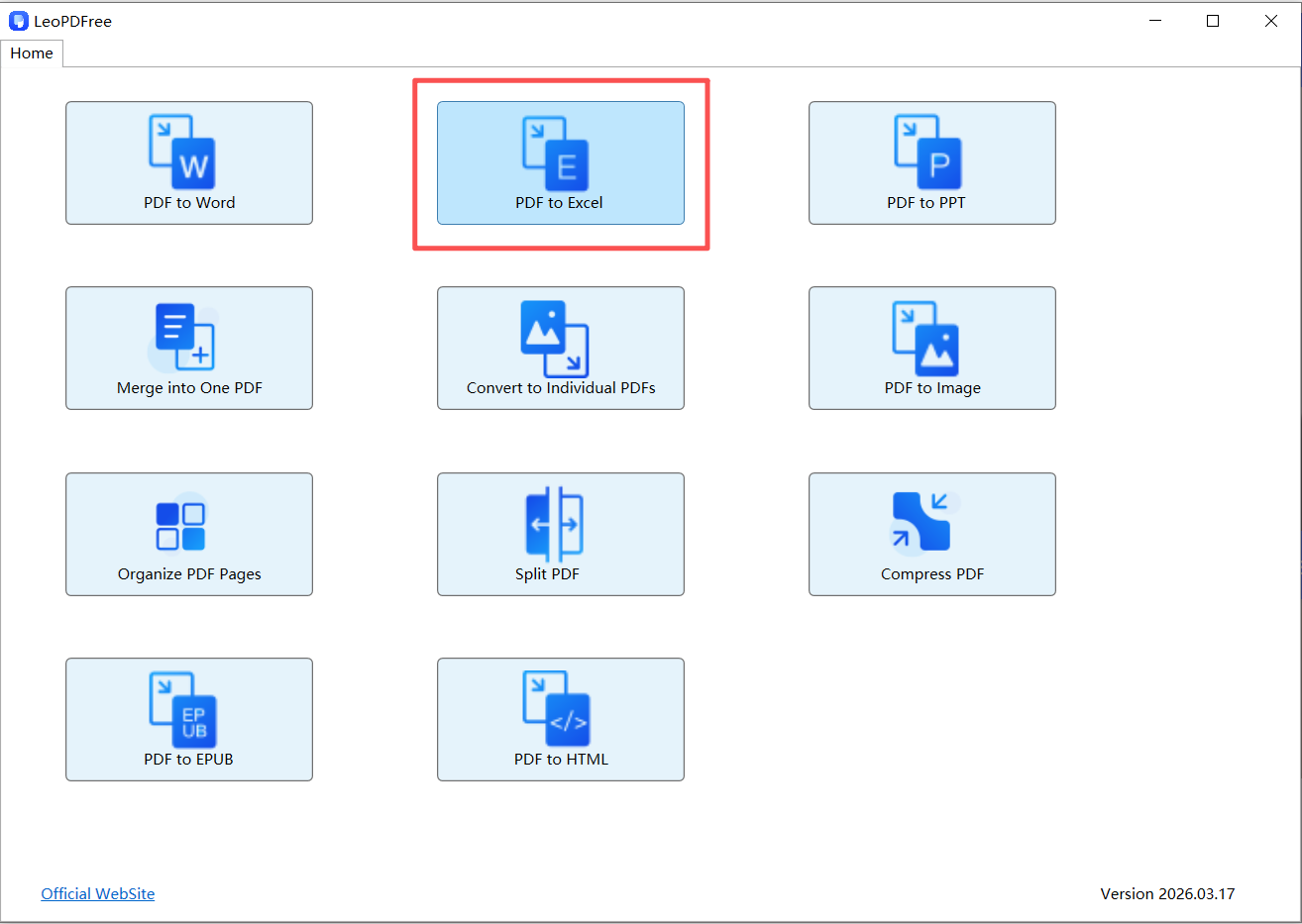
Step 1. Download LeoPDF. Launch it on your computer. Click on “PDF to Excel” to continue.
Free DownloadSecure Download
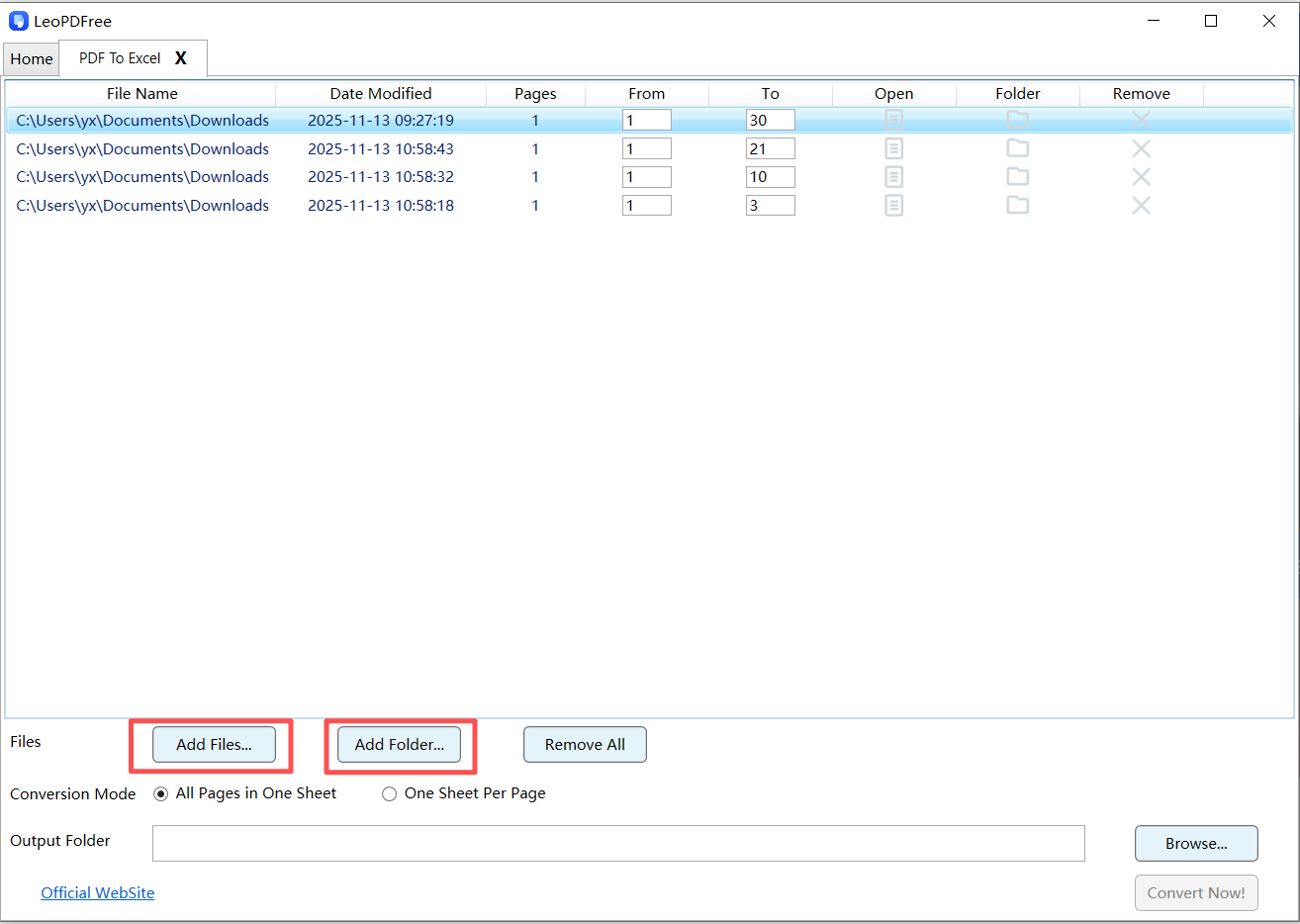
Step 2. On the next screen, you can drag and drop your PDF file directly into the conversion box, copy and paste it right in, or click “Add Files…” to add your document. You can also select multiple files to convert at the same time, as shown below.
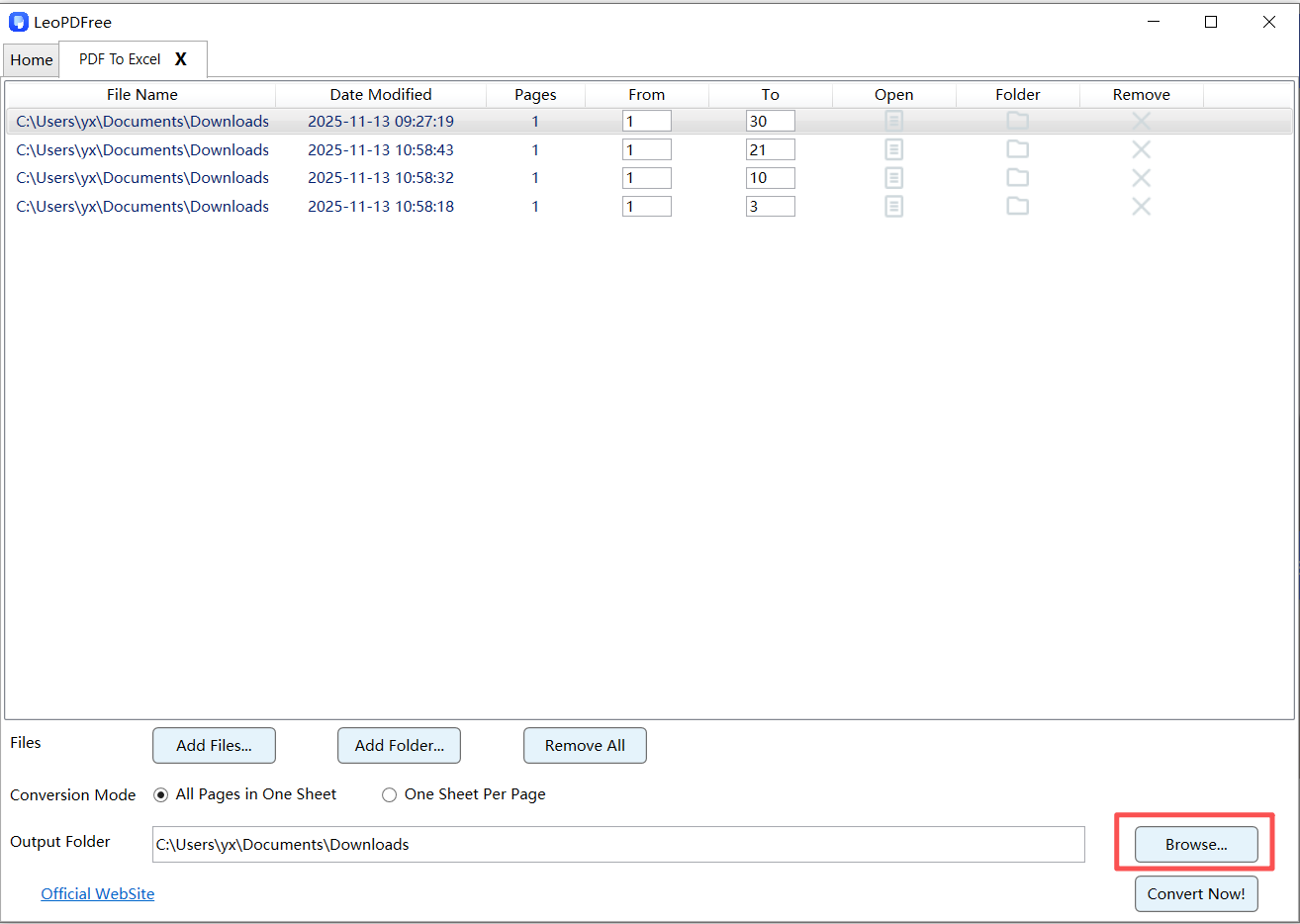
Step 3. After adding your PDF to the conversion box, you can edit the page range to select which pages to convert. Next, choose an option under “Conversion Mode,” and then click “Browse…” to set the save path for your new file, as shown below.
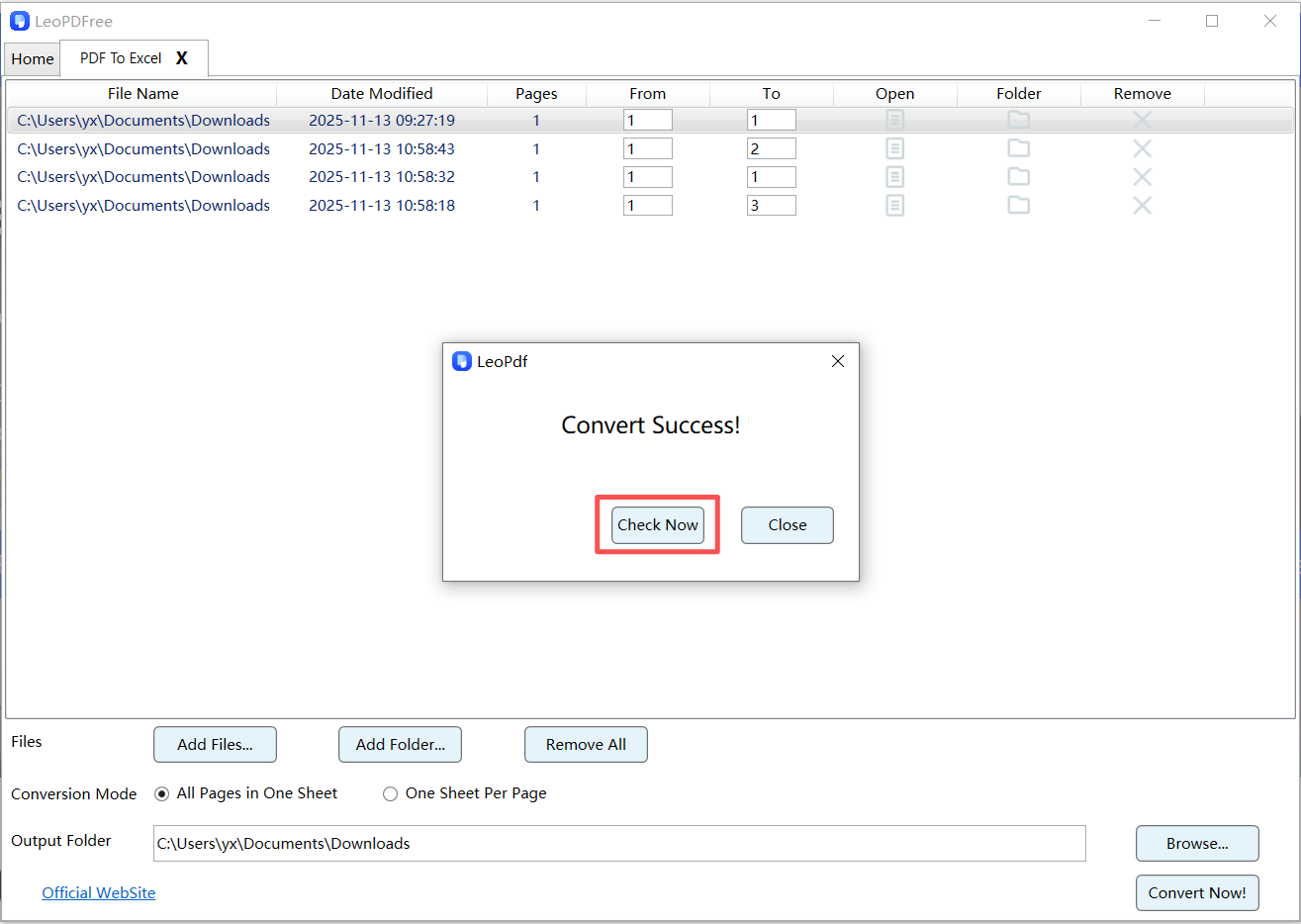
Step 4. Once all the preparation is done, simply click the “Convert Now!” button on the interface. The software will quickly complete the conversion based on the file size. After it’s finished, click the “Check Now” button in the pop-up window to instantly view your converted file, as shown below.