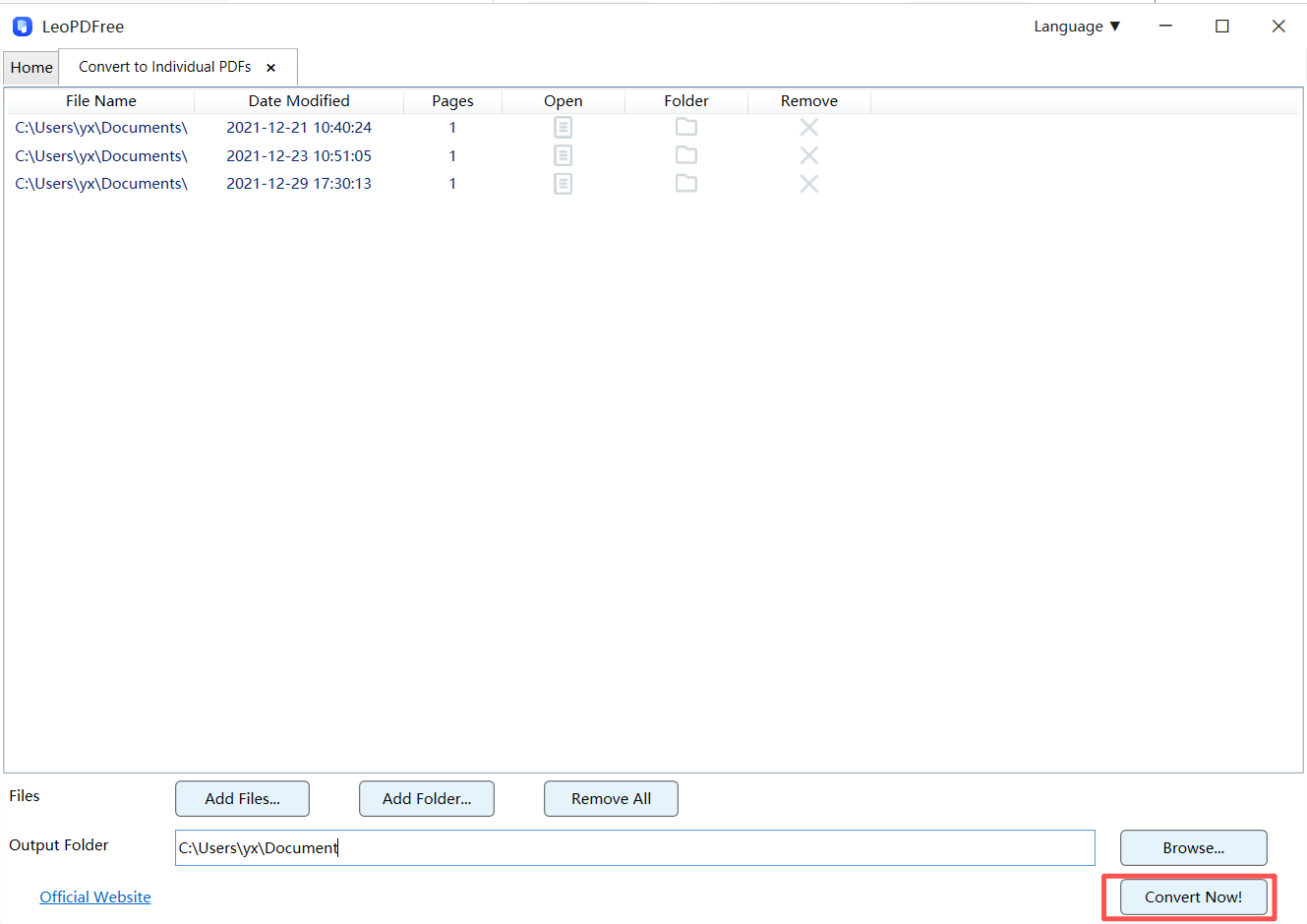

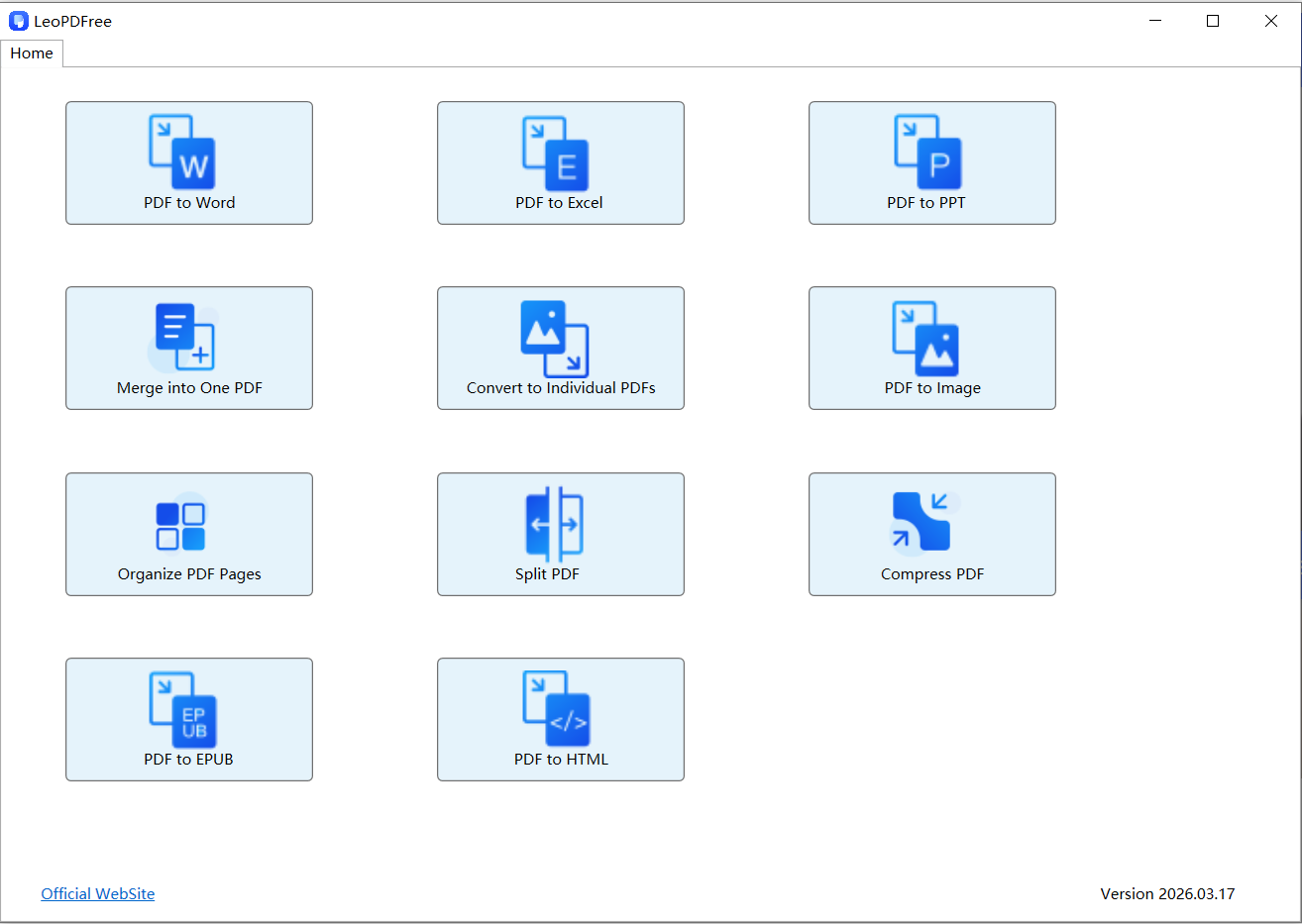
Step 1. Download and install LeoPDF on your computer. Launch LeoPDF, and click on the Convert to Individual PDFs icon to continue.
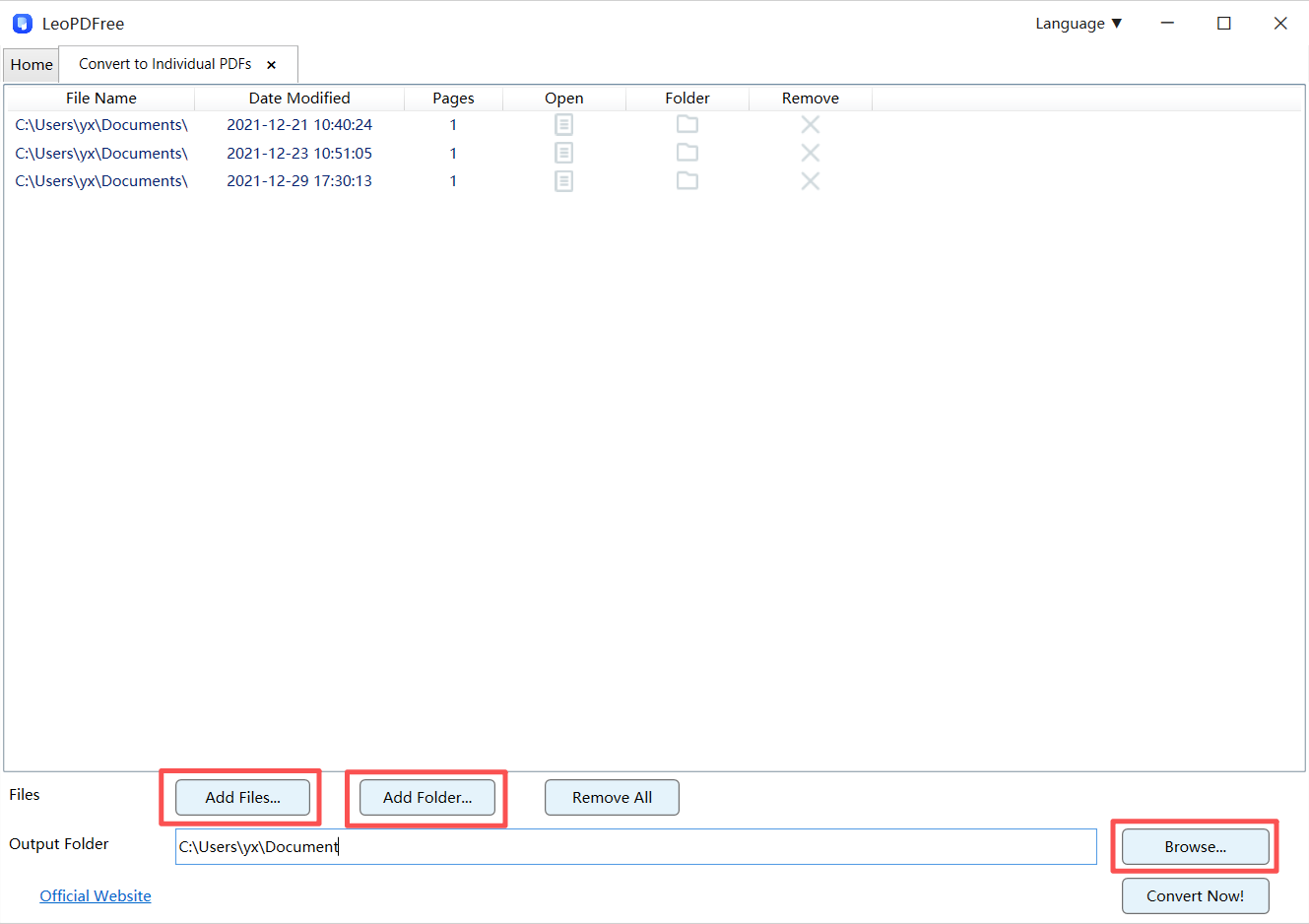
Step 2. On the next screen, drag and drop the images you want to convert into the box in the center. You can also copy and paste them or click “Add Files…” to add your documents. Once you’re done adding the files, click the “Browse…” button to set the save path for your converted PDF, as shown below.
Step 3. Once all the preparation is done, simply click the “Convert Now!” button on the interface to start the process. The software will quickly complete the conversion based on the file size. When the completion window pops up, you can click the “Check Now” button to instantly view the results, as shown below.