
In this era of information explosion, we are exposed to a vast amount of documents and materials daily. As a widely used electronic document format, PDF files are undoubtedly a frequent part of our daily work. However, as the number of files grows, PDFs are also consuming increasing amounts of storage space. At this point, have you ever considered compressing PDF files into smaller sizes for easier storage and transfer? The answer is here! Let me take you into a brand-new world to explore how to effortlessly compress PDF files into compact sizes, instantly “slimming down” your document library!
Compress PDF
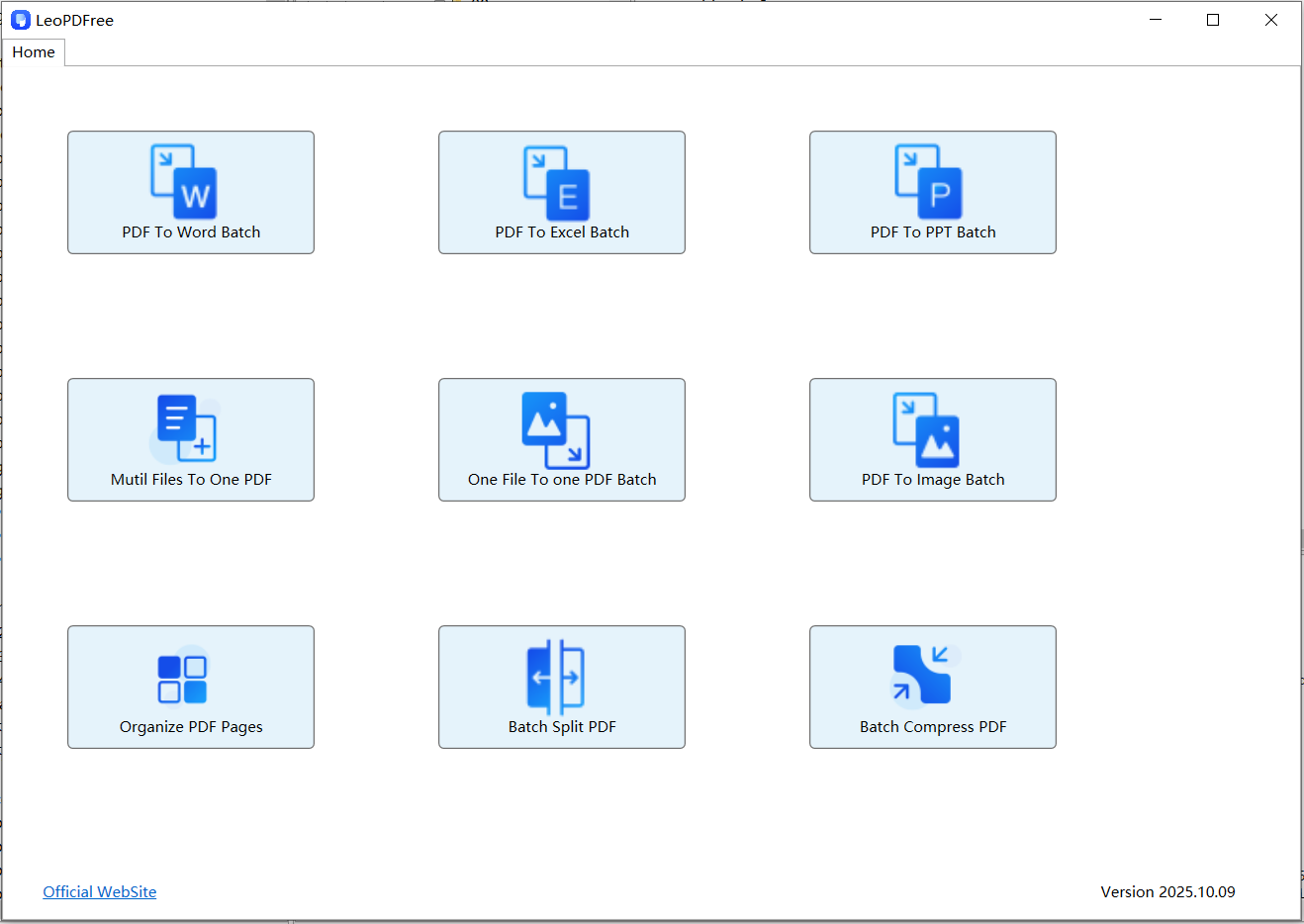
LeoPDF Converter is a powerful and free software that helps users easily compress PDF files. With this tool, users can choose from different compression algorithms and set compression quality to adjust according to their own needs. The compressed PDF files not only reduce file size, saving storage space, but also improve file transfer speed and sharing efficiency. Additionally, this tool offers a wealth of other editing functions, such as merging, splitting, and extracting pages, allowing users to handle and manage PDF files more flexibly. Whether for individual users or enterprise users, this tool is a practical utility that can assist users in better handling and optimizing PDF files.
Specific tutorial on PDF compression
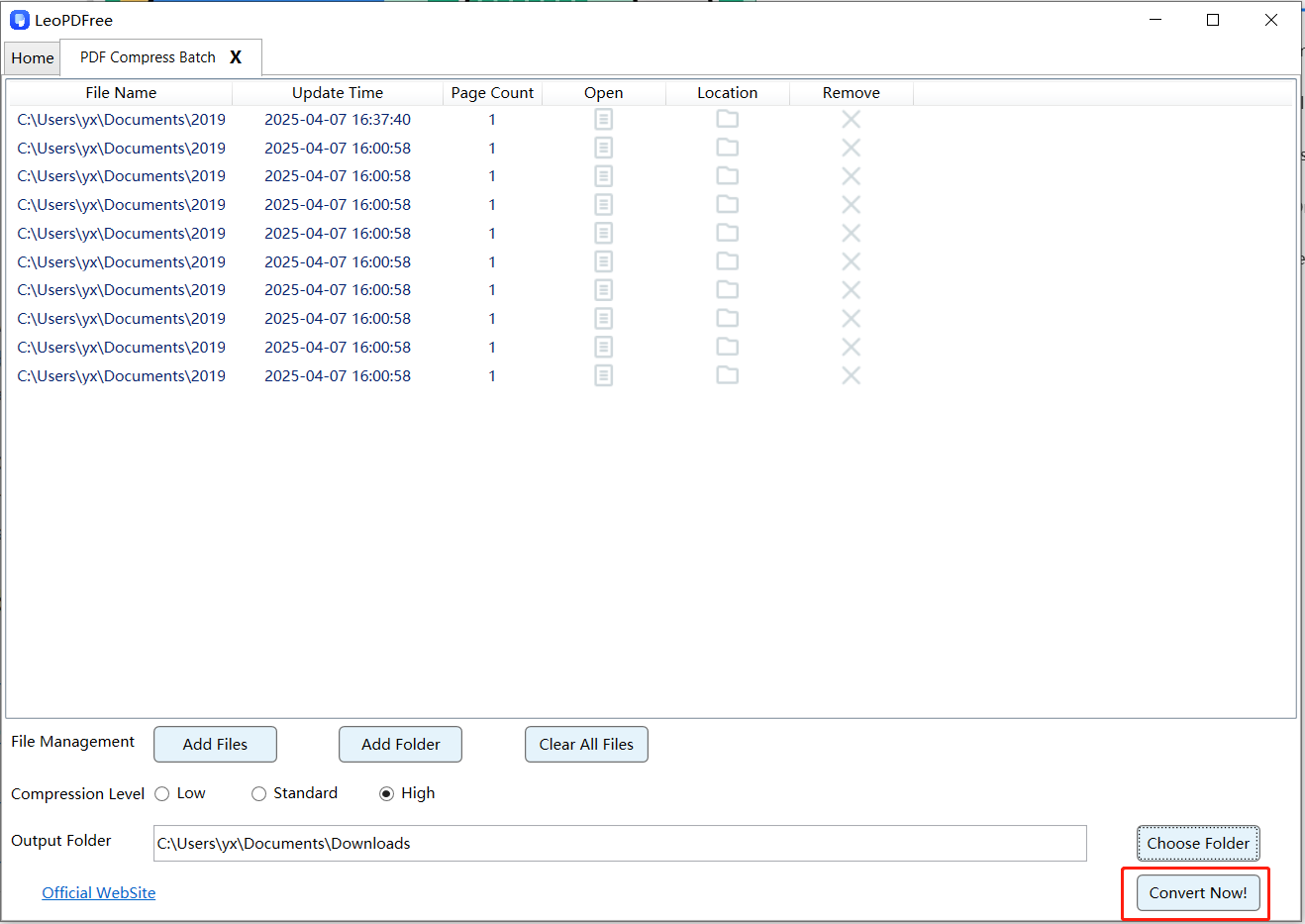
The LeoPDF tool product offers a convenient PDF compression function. First, open the LeoPDF tool. Then, locate the “Batch Compress PDF” option in the tool interface and click on it. Next, click on “Add Files” or “Add Folder” to add the PDF files you want to compress. Usually, there are three options available: Low, Standard, and High. After selecting the appropriate level, click the “Choose Folder” button to set the storage path for the compressed files. Once everything is ready, simply click “Convert Now!” to easily and quickly complete the compression. This tool will automatically analyze the files and compress the images and text within, ensuring that the compressed images remain clear while the file size is reduced. After compression is complete, you can check the compression results based on the storage path. With this simple tutorial, you can easily use this tool product to compress PDF files for more convenient sharing and transmission.
Conclusion
Through the LeoPDF software, users can easily compress the size of PDF files and reduce the occupation of storage space. Whether considered from the perspective of file size or for the purpose of sharing and transmitting files more quickly, this feature is highly practical. The compression function of this tool is simple to operate and can be completed in just a few easy steps. The quality of the compressed files will not be significantly affected, and the content and format of the original files will be preserved. Apart from being user-friendly, The key point that this tool is completely free to use. In short, the compression function of this tool provides users with an efficient and convenient way to handle PDF files.
