
Sending multiple PDF files in one email can look messy and unprofessional. Many email services also limit the number of attachments or total file size. That’s why learning how to merge PDF for email attachment is an essential skill for both work and study.
In this guide, you’ll learn why merging PDFs before emailing is important, how to do it step by step, and how to reduce file size to meet email attachment limits.
Why Merge PDF Files Before Sending Email?
Before jumping into the steps, let’s understand the benefits:
✅ Send one clean and organized attachment instead of multiple files
✅ Avoid missing important documents
✅ Reduce confusion for recipients
✅ Stay within email attachment limits
✅ Present documents more professionally
Most email providers (such as Gmail or Outlook) have attachment size limits, usually around 20–25MB. Merging and compressing PDFs helps you stay within that range.
Method 1: Merge PDF Files Using an Online Tool (Fastest Way)
Best for: quick tasks without installing software.
Steps to Merge PDF for Email Attachment
1️⃣.Open an online PDF merge tool in your browser
2️⃣.Upload the PDF files you want to combine
3️⃣.Arrange them in the correct order
4️⃣.Click the “Merge” button
5️⃣.Download the merged PDF file
6️⃣.Attach the new single PDF file to your email
Advantages
⏺ No software installation required
⏺ Works on Windows, Mac, or mobile devices
⏺ Beginner-friendly interface
Things to Consider
⏺ Avoid uploading confidential documents
⏺ Some free tools limit file size
Method 2: Merge PDFs Using Desktop LeoPDF Software (More Secure)
Best for: business documents or frequent office use.
Steps
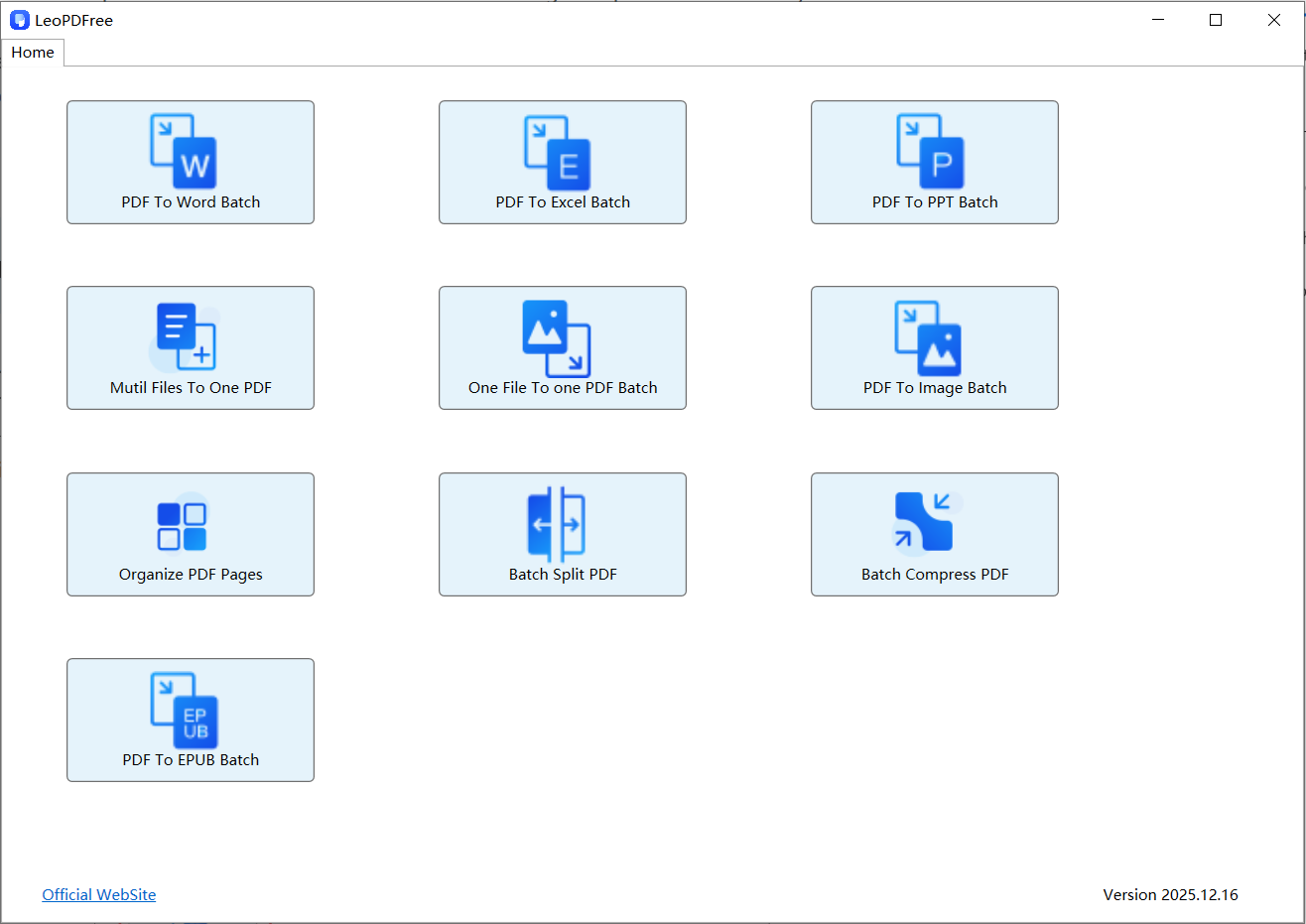
1️⃣.Download and successfully install LeoPDF on your computer, then open the software, as shown in the image below.
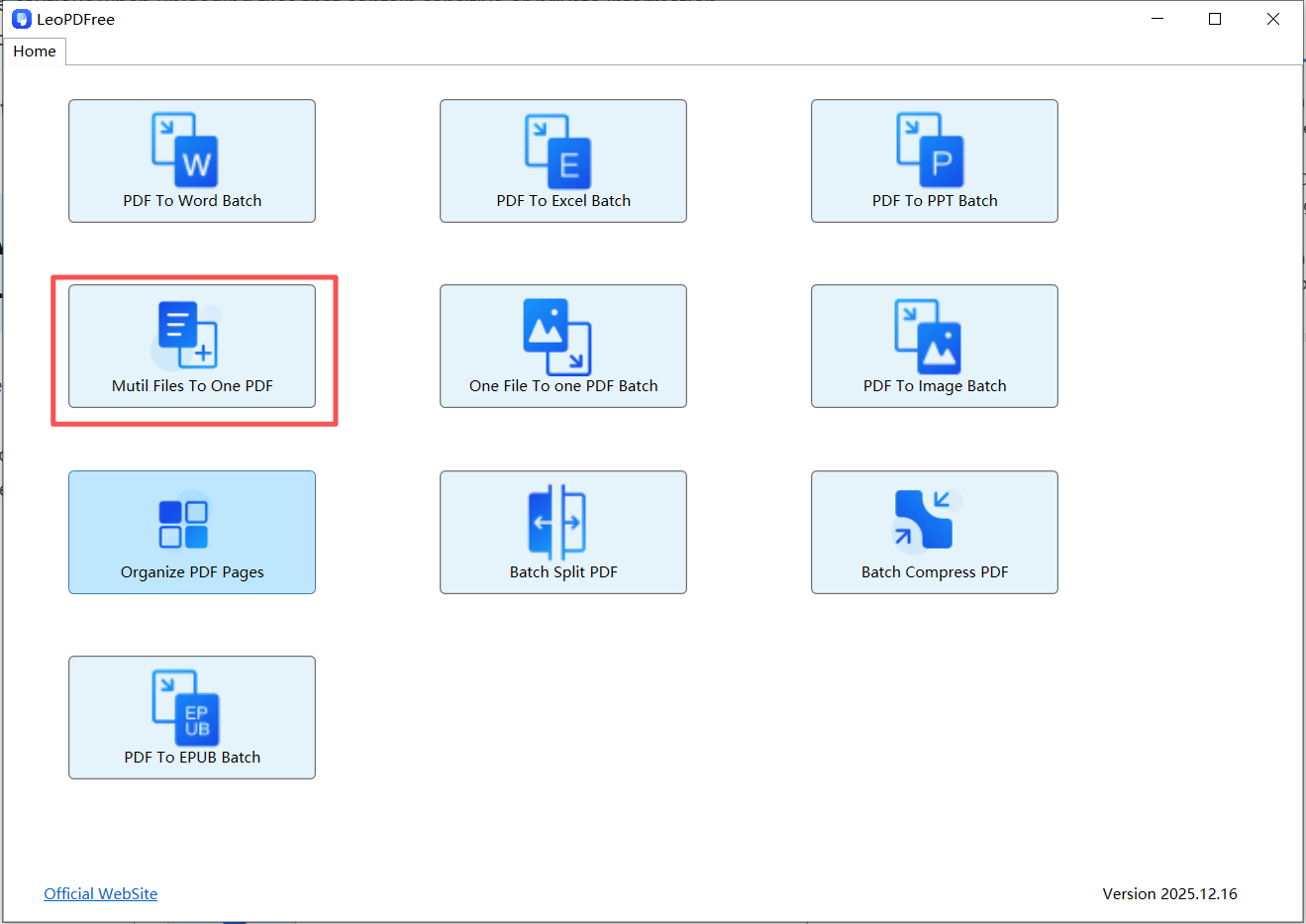
2️⃣.On the opened software interface, click the “Multi Files To One PDF” button, as shown in the image below.
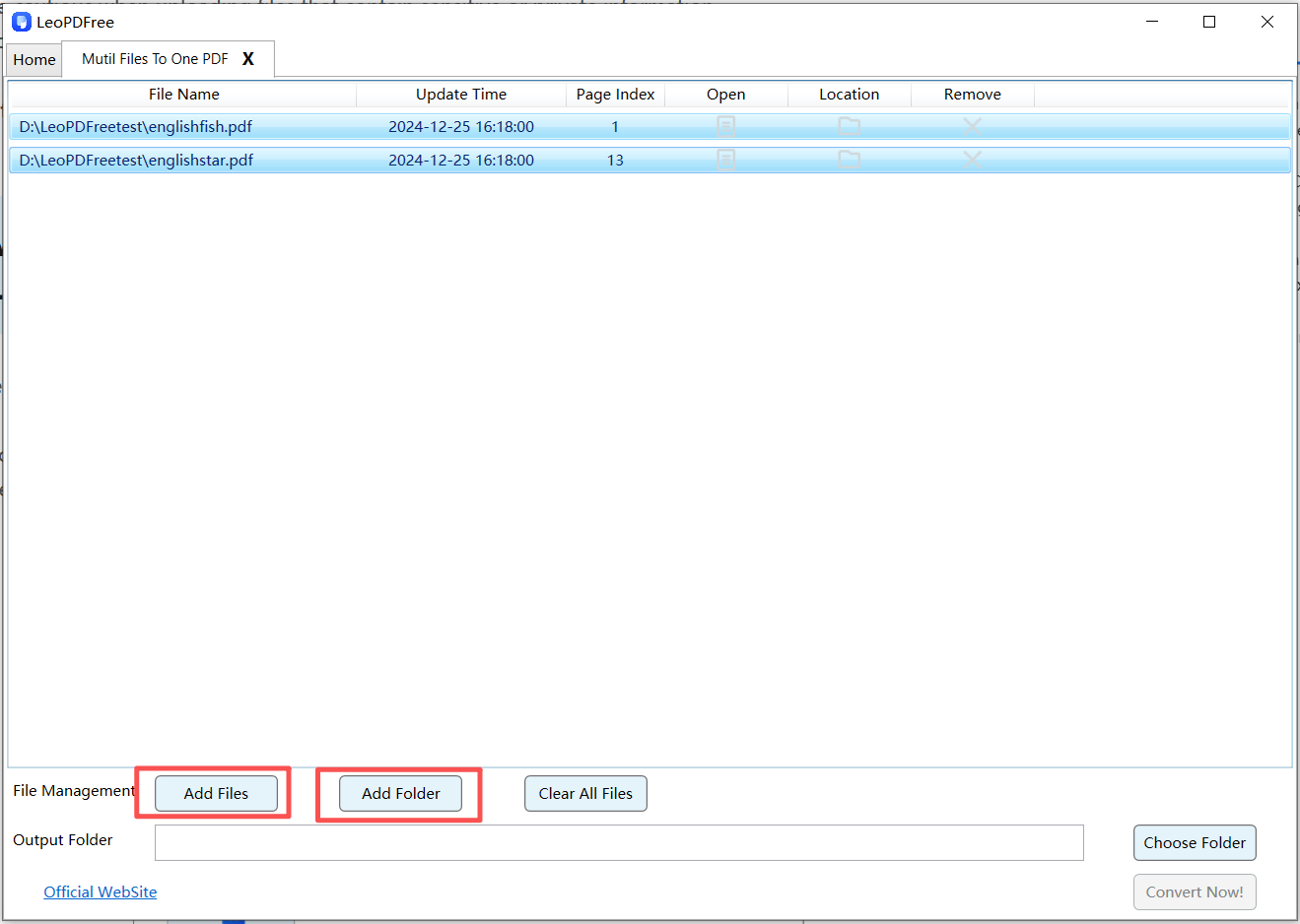
3️⃣.On the interface, click “Add Files” or “Add Folder” to add one or more files you want to merge, as shown in the image below.
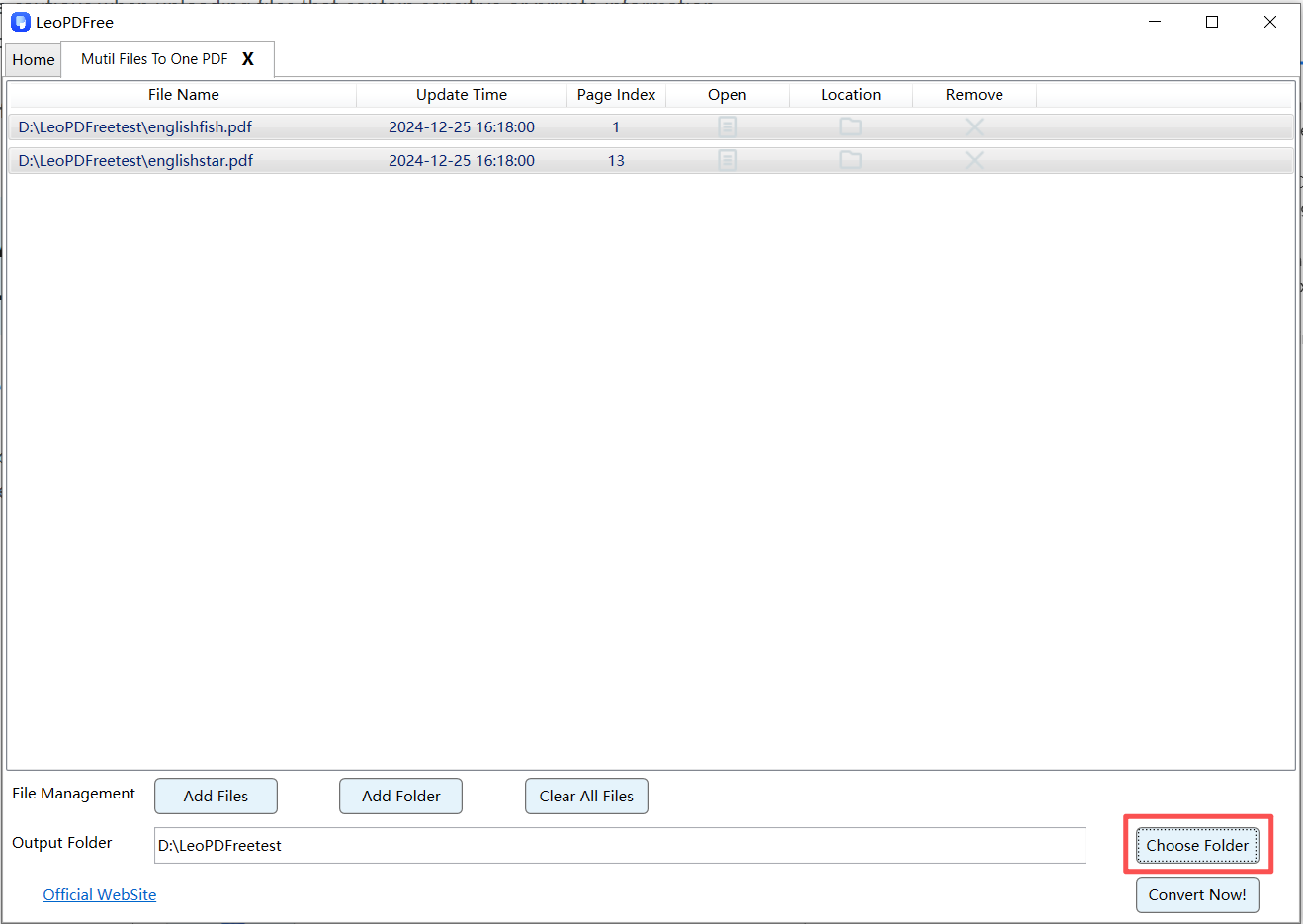
4️⃣.On the interface, click “Choose Folder” to set the save location for the merged PDF file, as shown in the image below.
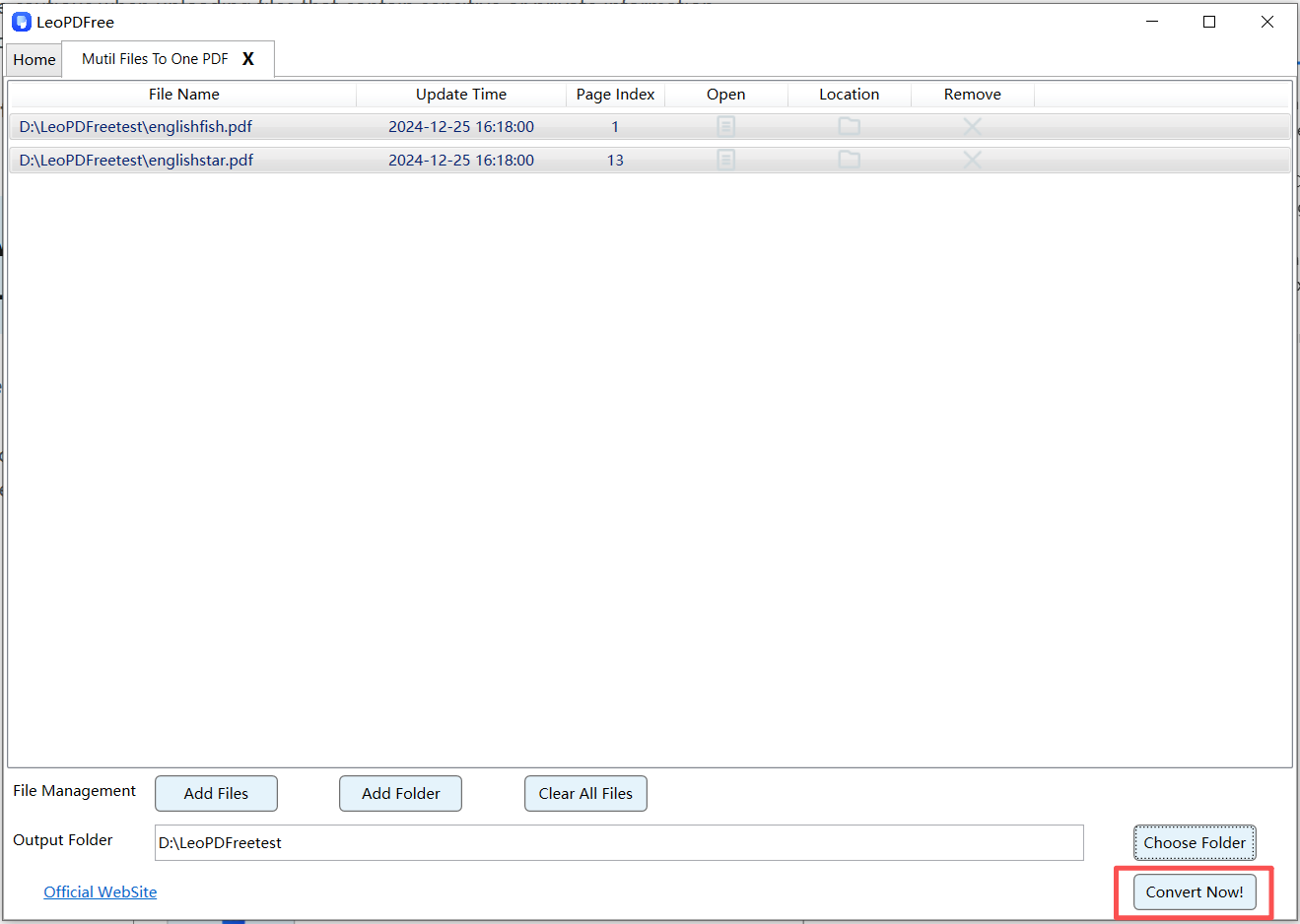
5️⃣.After all the preparation for merging is complete, simply click “Convert Now!” to merge the files, as shown in the image below.
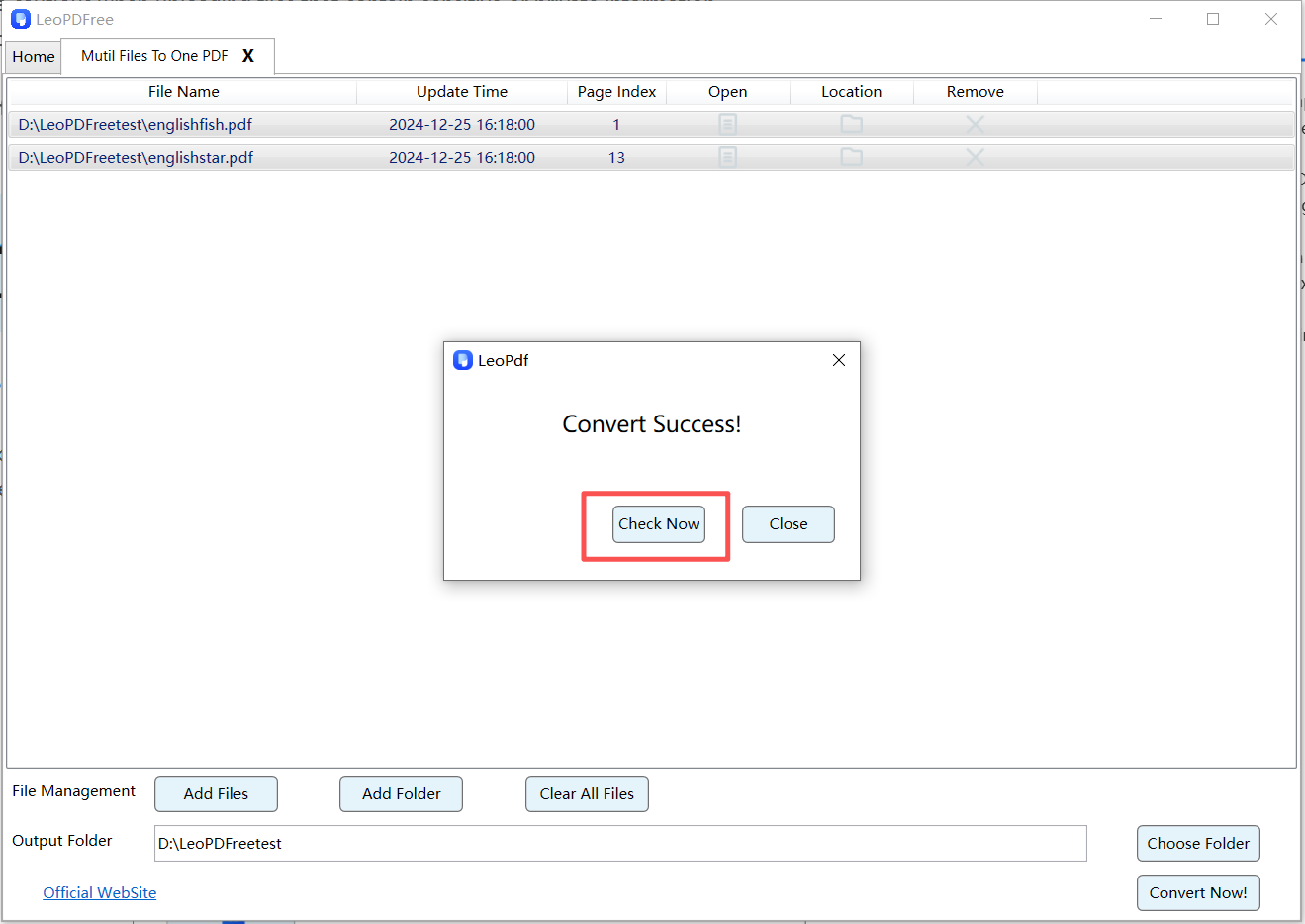
6️⃣.The software will quickly complete the merging task based on the file size. When a new panel pops up, it indicates that the merging process has been completed. At this time, click “Check Now” to quickly view the merged file result, as shown in the image below.
7️⃣.Attach it to your email
Why Choose Desktop LeoPDF Software?
🔵 The key point is that the software is completely free to use with no time limitations.
🔵 Files stay on your computer (better privacy)
🔵 Supports large documents
🔵 Often includes compression features
🔵 Allows page editing before sending
This method is recommended for contracts, reports, and sensitive materials.
How to Reduce PDF Size for Email Attachment
Even after merging, your PDF file may still be too large for email.
Option 1: Compress the PDF
Use a PDF compression tool to reduce file size before attaching it.
Option 2: Remove Unnecessary Pages
Delete duplicate or unnecessary pages before merging.
Option 3: Lower Image Quality (If Applicable)
If your PDF contains many images, reducing image resolution can significantly decrease file size.
Frequently Asked Questions (FAQ)
Will merging PDF files reduce quality?
No. Merging PDFs simply combines pages into one file and does not affect quality unless compression is applied.
What is the best PDF size for email attachments?
Ideally, keep the file under 20MB to ensure smooth email delivery.
Can I merge specific pages instead of entire files?
Yes. Most PDF tools allow you to select specific pages before merging.
Conclusion
Knowing how to merge PDF for email attachment helps you send documents more efficiently and professionally. Whether you use an online tool for quick tasks or desktop software for secure business documents, merging your PDFs before sending them via email is always a smart choice.
If your merged file is too large, remember to compress it before attaching it to your email. A well-organized single PDF attachment improves communication and leaves a better impression on recipients.
