
In today’s data-driven world, efficiently extracting information from PDFs into Excel is crucial for professionals across industries. Whether you’re analyzing financial reports, managing inventory, or preparing data for analysis, converting PDFs to Excel can save countless hours of manual work. This guide explores the best free tools and expert techniques for seamless PDF to Excel conversion in 2026.
Why Convert PDFs to Excel?
PDFs are excellent for document sharing and viewing but lack the editability and data manipulation capabilities of Excel. Converting PDFs to Excel allows you to:
⏺Sort and filter data effortlessly
⏺Perform complex calculations
⏺Create charts and visualizations
⏺Integrate with other data sources
⏺Automate workflows using Excel’s powerful features
The best free PDF to Excel conversion tools in 2026
LeoPDF is a completely free tool for converting PDF to Excel, featuring fast conversion speed, no file size limitations, and high file confidentiality due to offline conversion.
Here’s an introduction to the conversion method of LeoPDF for everyone:
1️⃣.Download and install LeoPDF for free. Open the software, and the interface is as shown in the following picture:
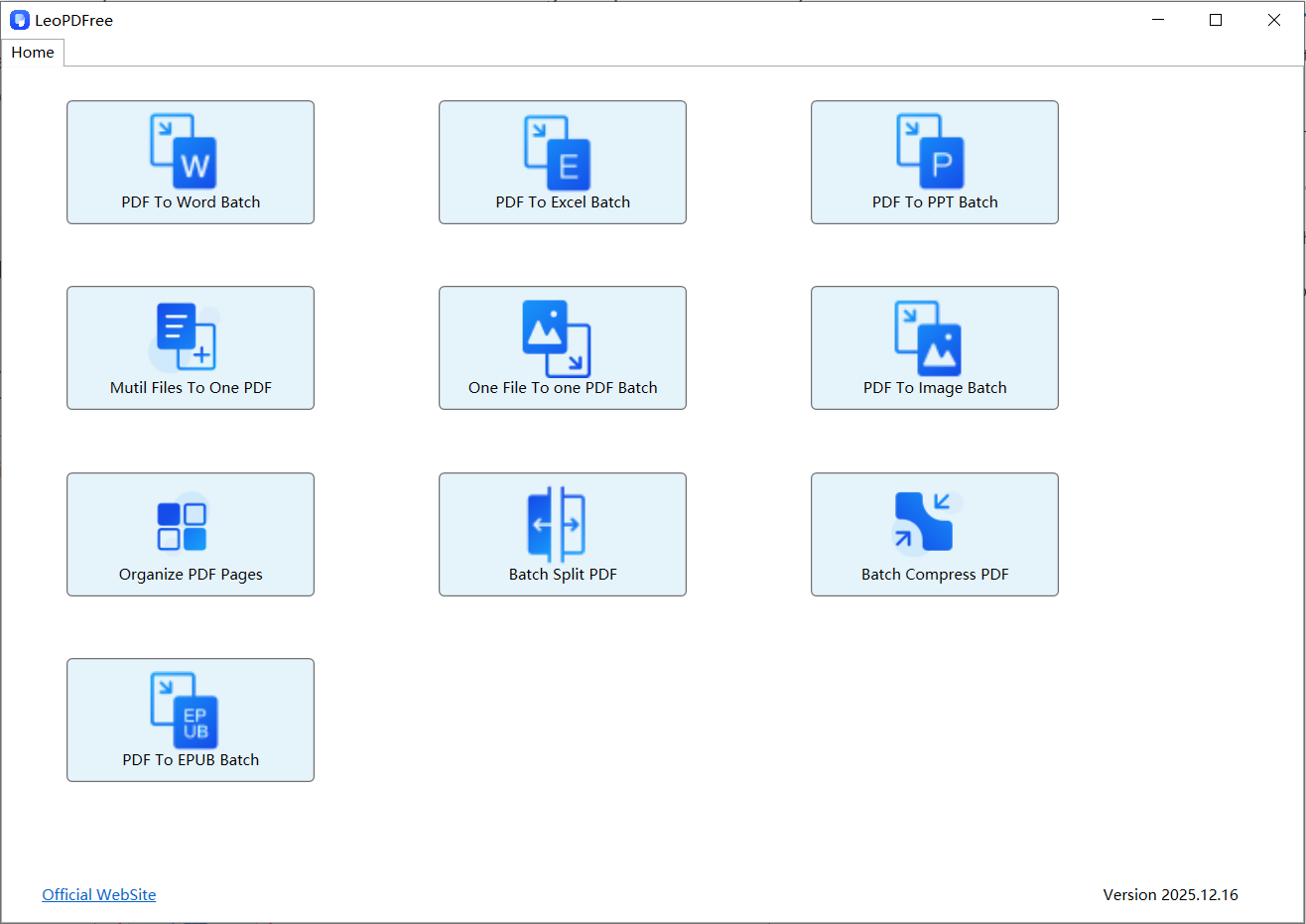
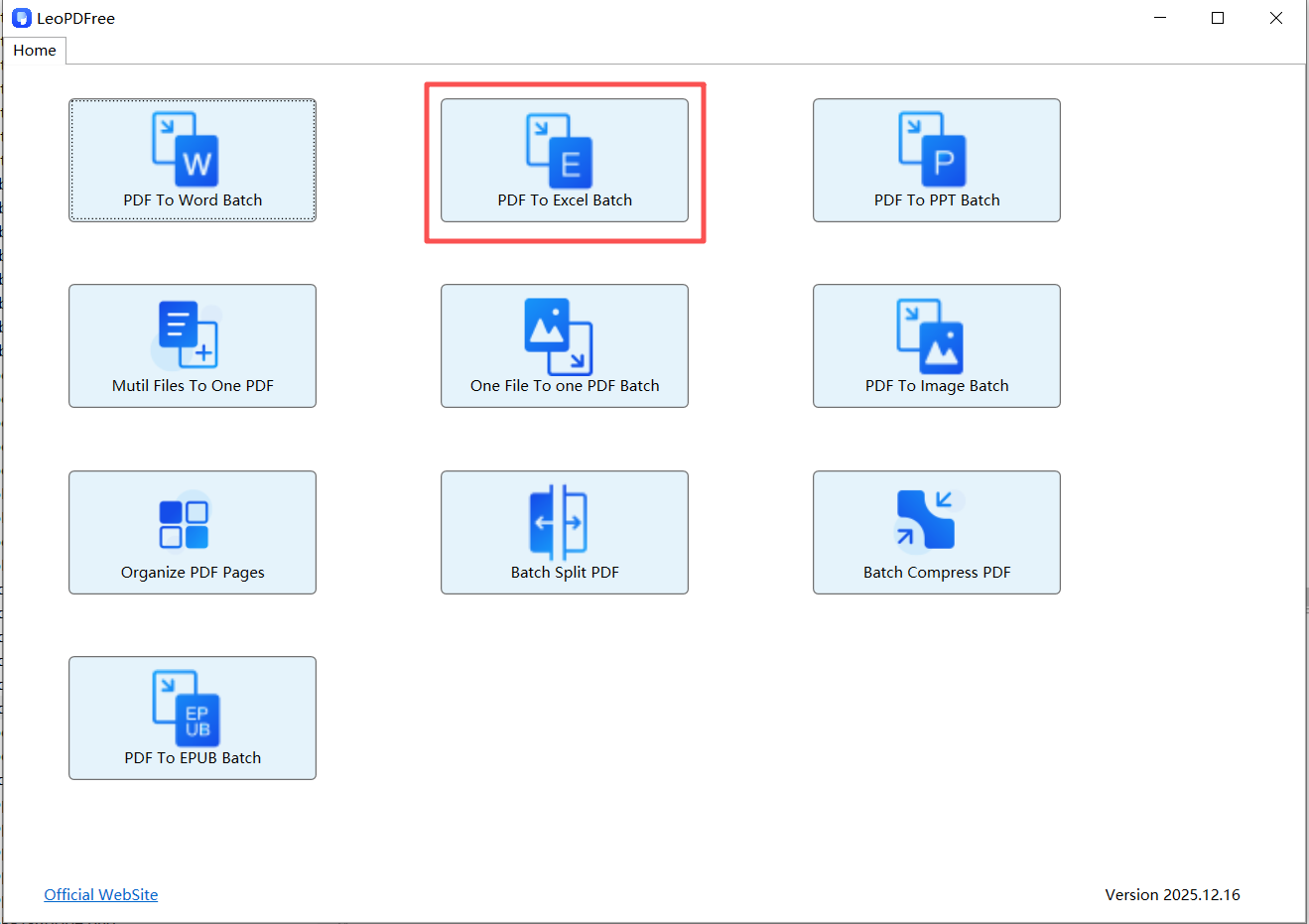
2️⃣.Click “PDF To Excel Batch” on the opened software interface, as shown in the following picture:
3️⃣.Click “Add Files” or “Add Folder” on the software interface to select one or more PDF files to be converted, as shown in the following picture:
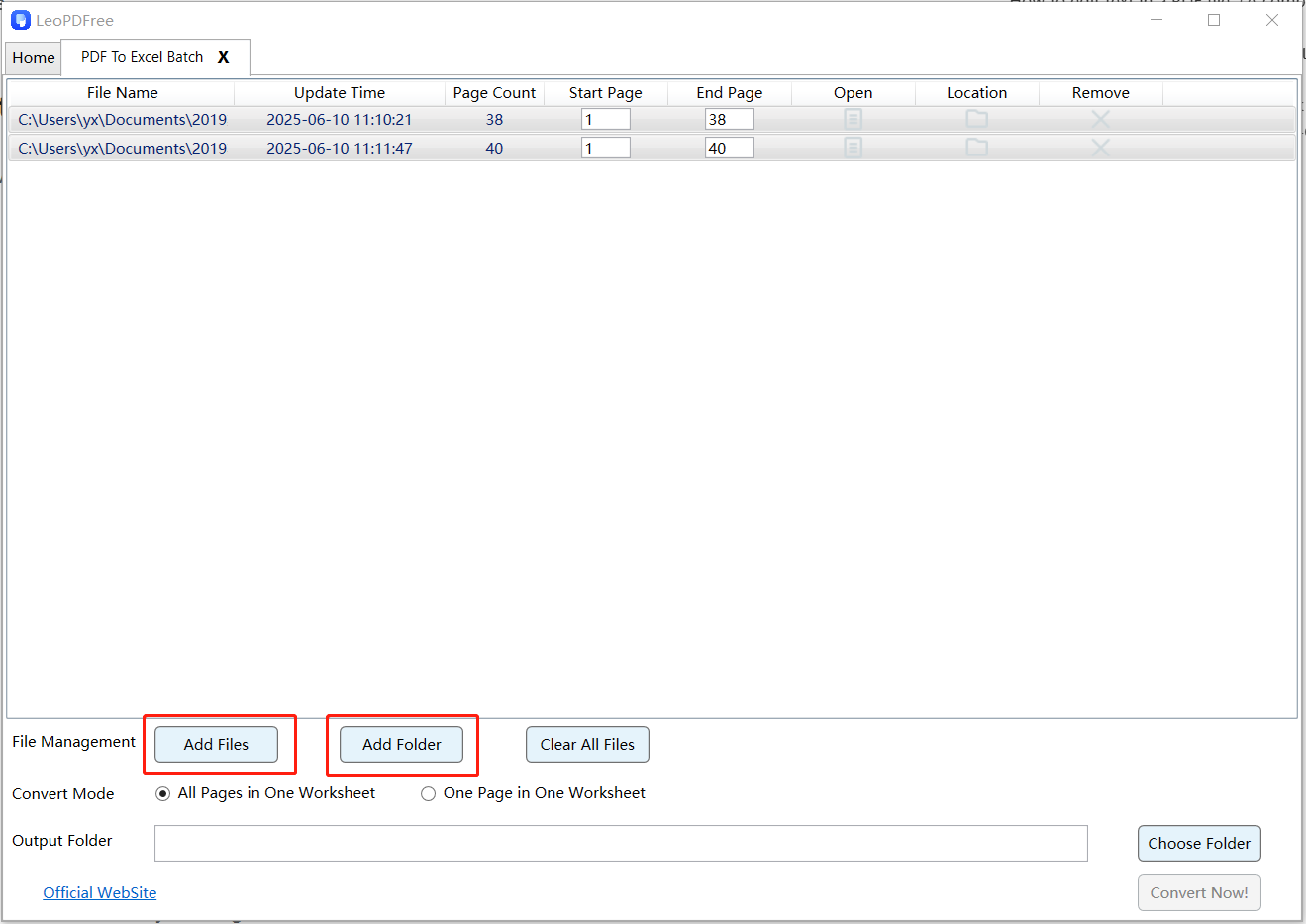
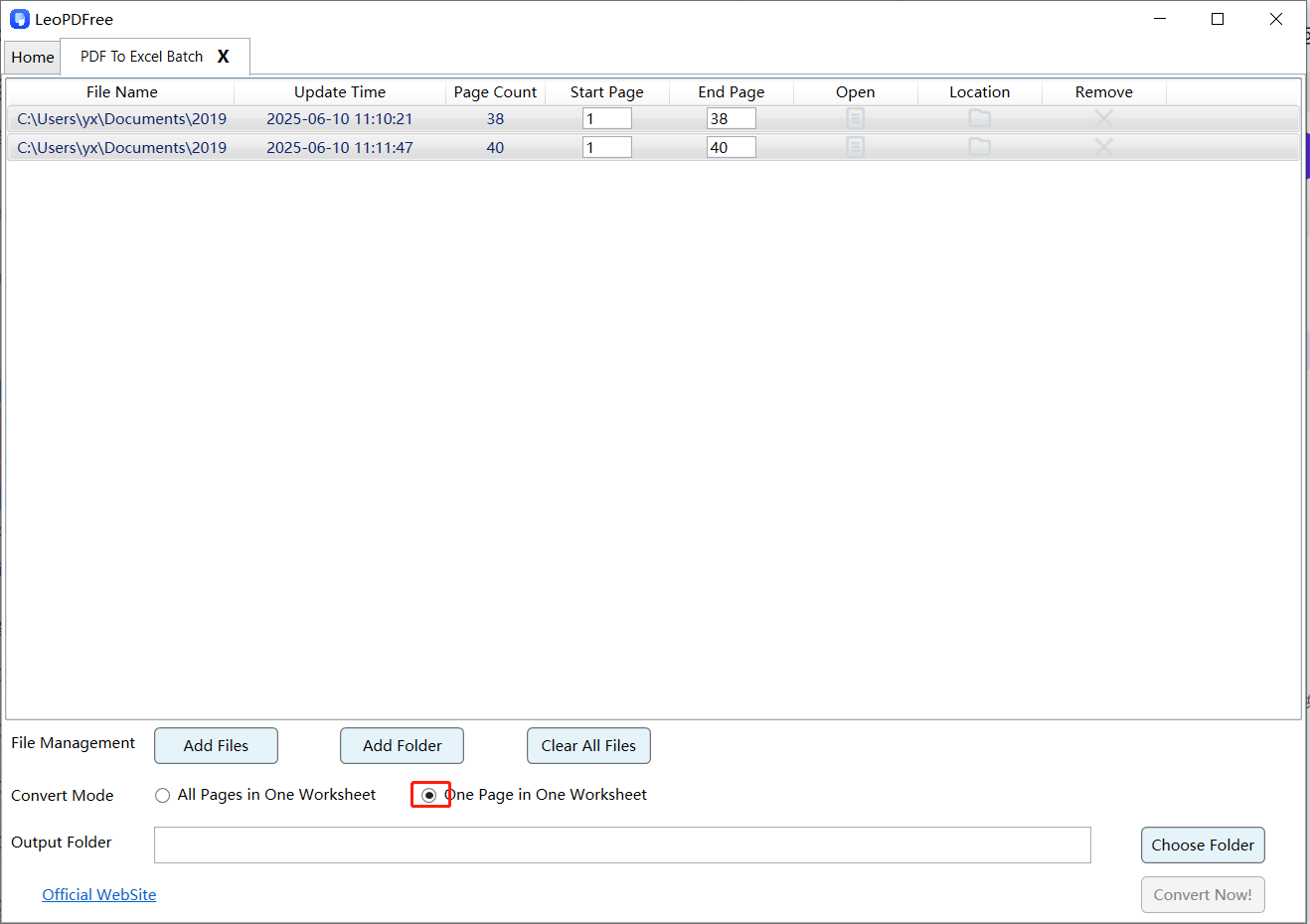
4️⃣.On the interface, select either ’All Pages in One Worksheet’ or ’One Page in One Worksheet’ based on your needs, as shown in the following diagram:
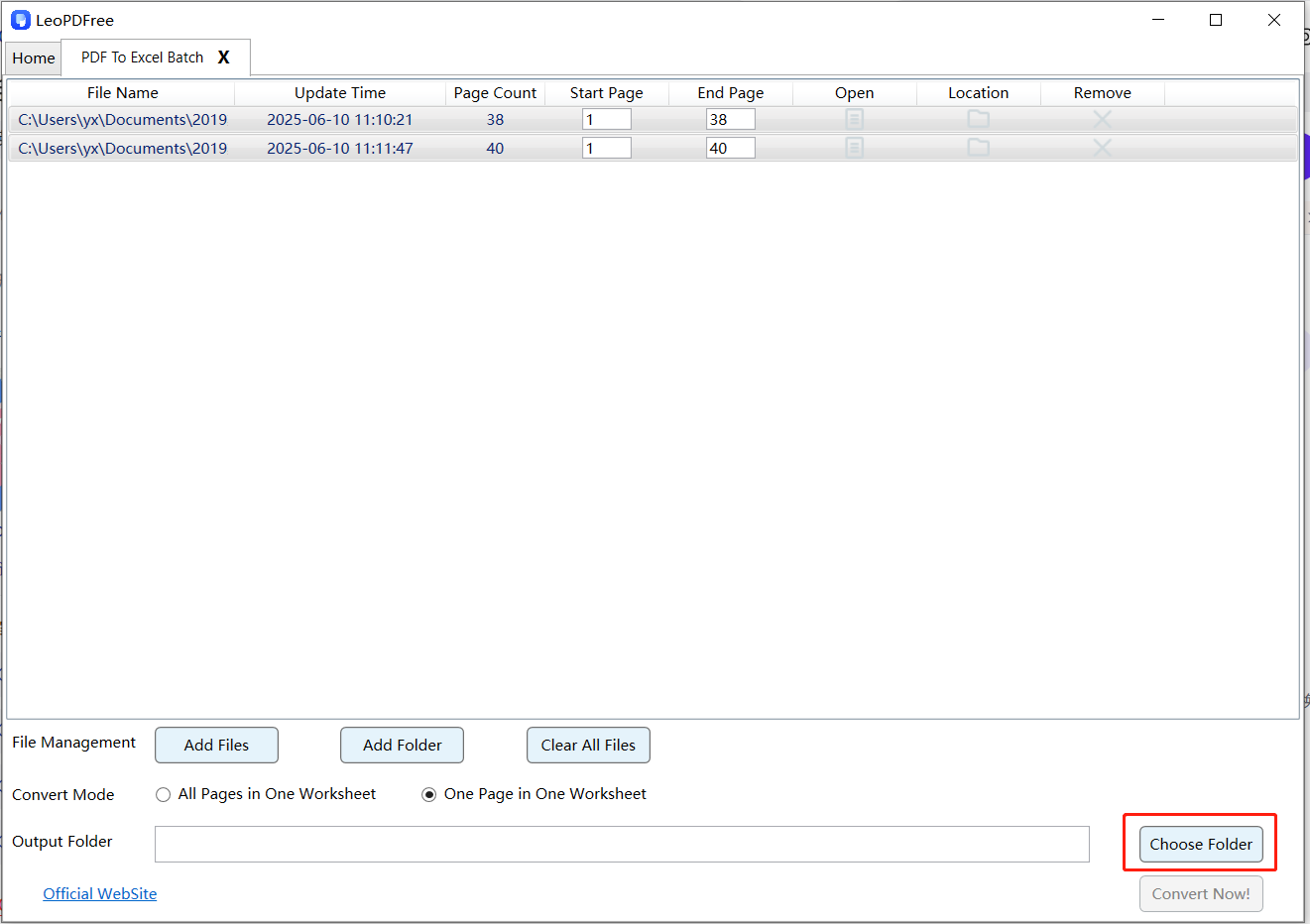
5️⃣.Then, on the interface, select the save path for the converted files by clicking the ’Choose Folder’ button, as shown in the following diagram.
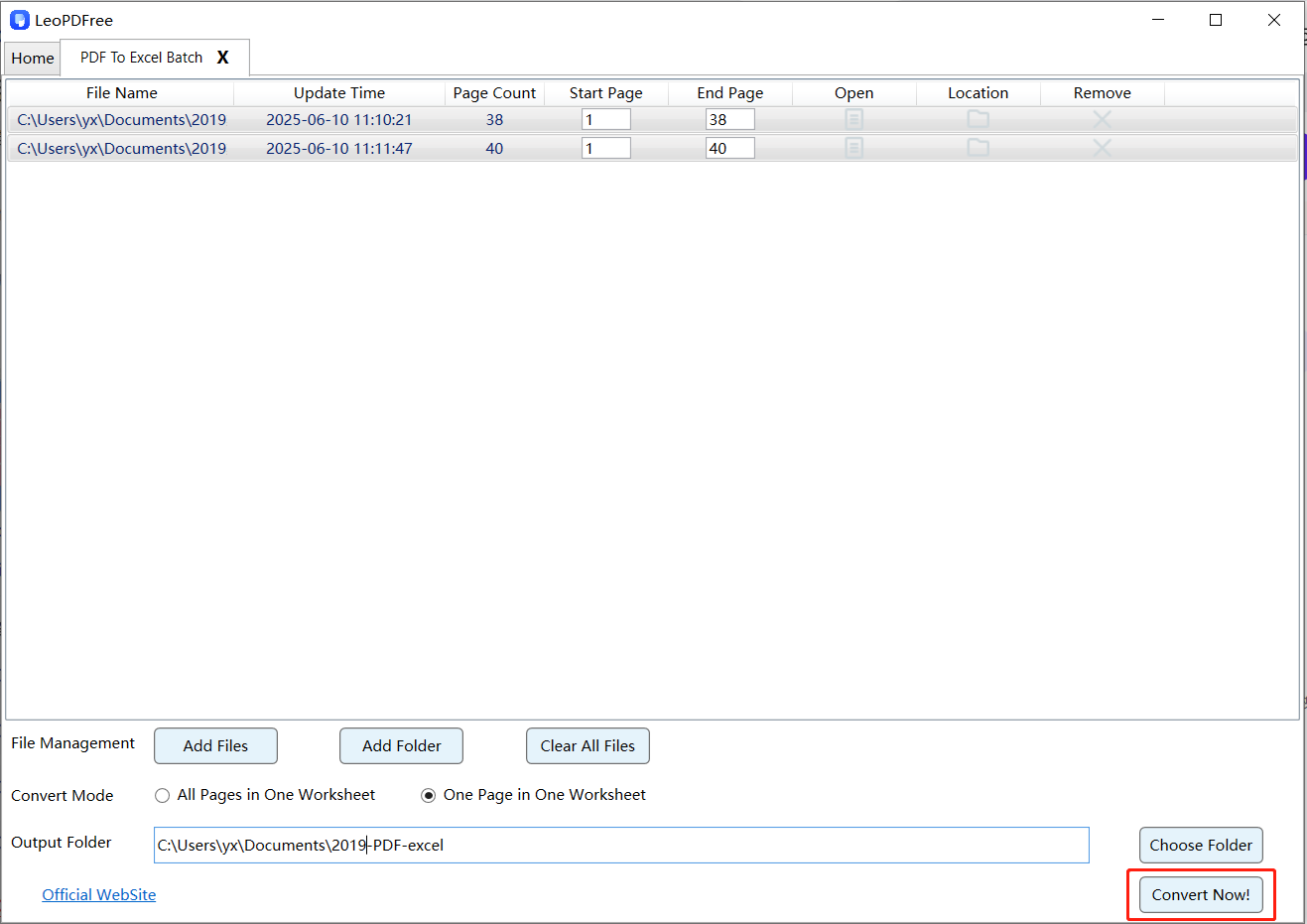
6️⃣.Once all conversion preparations are complete, simply click the ’Convert Now!’ button on the interface, and the software will quickly complete the conversion based on the file size.
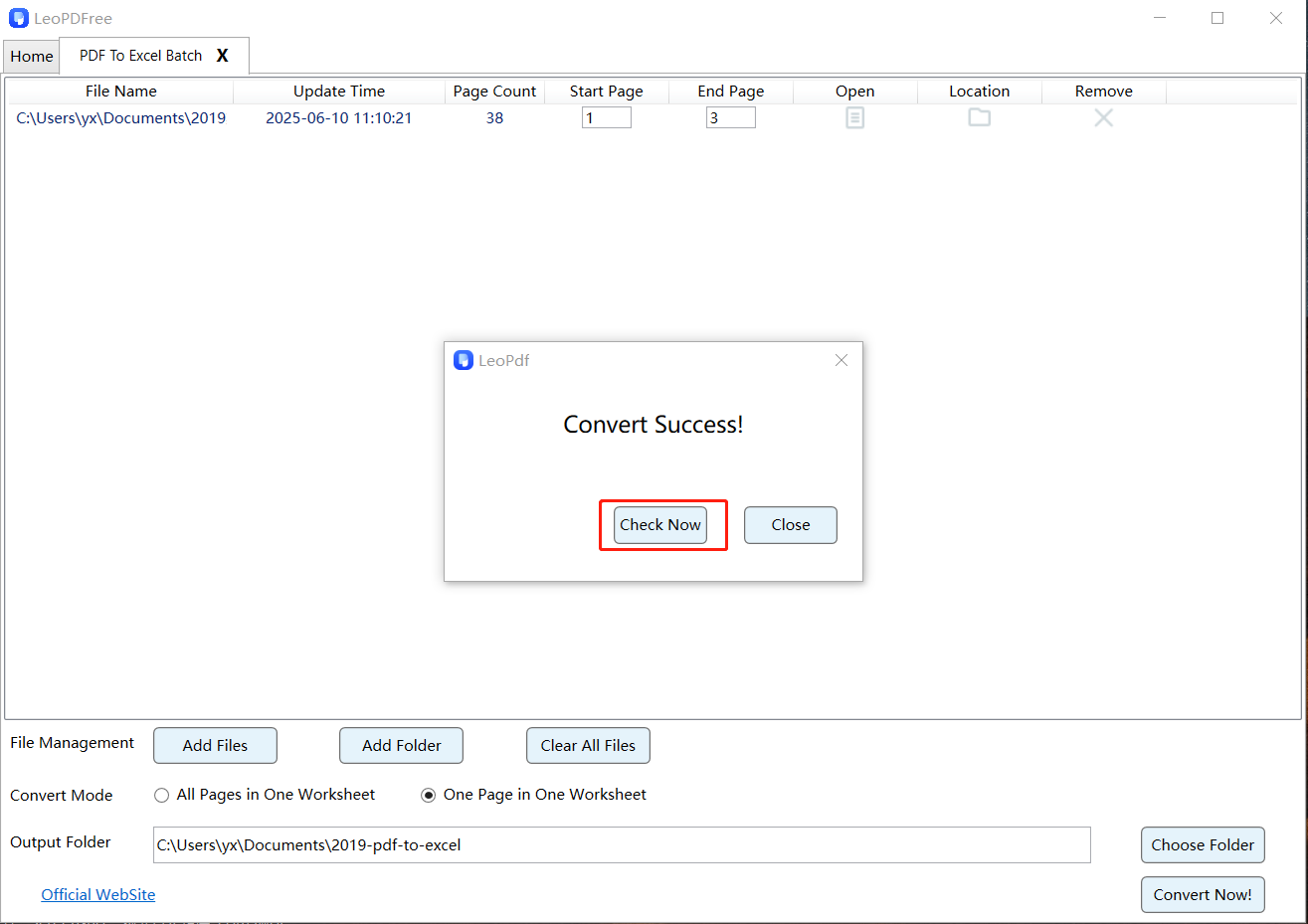
7️⃣.When a new interface pops up, indicating that the conversion is complete, click ’Check Now’ on the pop-up interface to quickly review the file conversion results.
Summary
LeoPDF stands out as a secure and efficient tool for converting PDF files to Excel. With its free, efficient, and user-friendly features, it is ideal for professionals like actuaries or bank clerks who need to handle large amounts of data verification. Using LeoPDF to convert PDF files into Excel can significantly enhance your productivity.
100% Free & Safe
