
A Practical Guide to Turning Static PDFs into Clean, Web-Ready Pages
Most guides about “Convert PDF to HTML Easily” focus on tools and quick steps. But here’s the reality:
👉 Easy conversion is not just about clicking a button
👉 It’s about getting usable, clean, and web-friendly HTML
This guide introduces a simple but effective workflow that helps you convert PDF to HTML easily without ending up with messy code or broken layouts.
🔍 What Does “Easy” Really Mean?
Before jumping into methods, let’s redefine “easy”:
- ❌ Not just fast
- ❌ Not just automatic
- ✅ Easy = clean output + minimal fixing needed
Because a “fast conversion” that requires 2 hours of fixing… isn’t easy at all.
⚡ Method 1: One-Click Online Conversion (Fastest Way)
Best for: quick tasks and simple PDFs
Steps
1. Open an online PDF to HTML converter
2. Upload your PDF file
3. Click Convert
4. Download the HTML file
What You’ll Get
- ▪ A visual copy of your PDF
- ▪ Basic HTML structure
- ▪ Inline styling included
When to Use
- ▪ Small files
▪ Simple layouts
▪ Temporary usage
🧩 Method 2:Use the free LeoPDF tool (the simplest and most efficient way).
Best for: users who want clean and editable HTML
Steps
1️⃣. Download LeoPDF for free and successfully install it on your computer, then launch the software as shown in the image below.
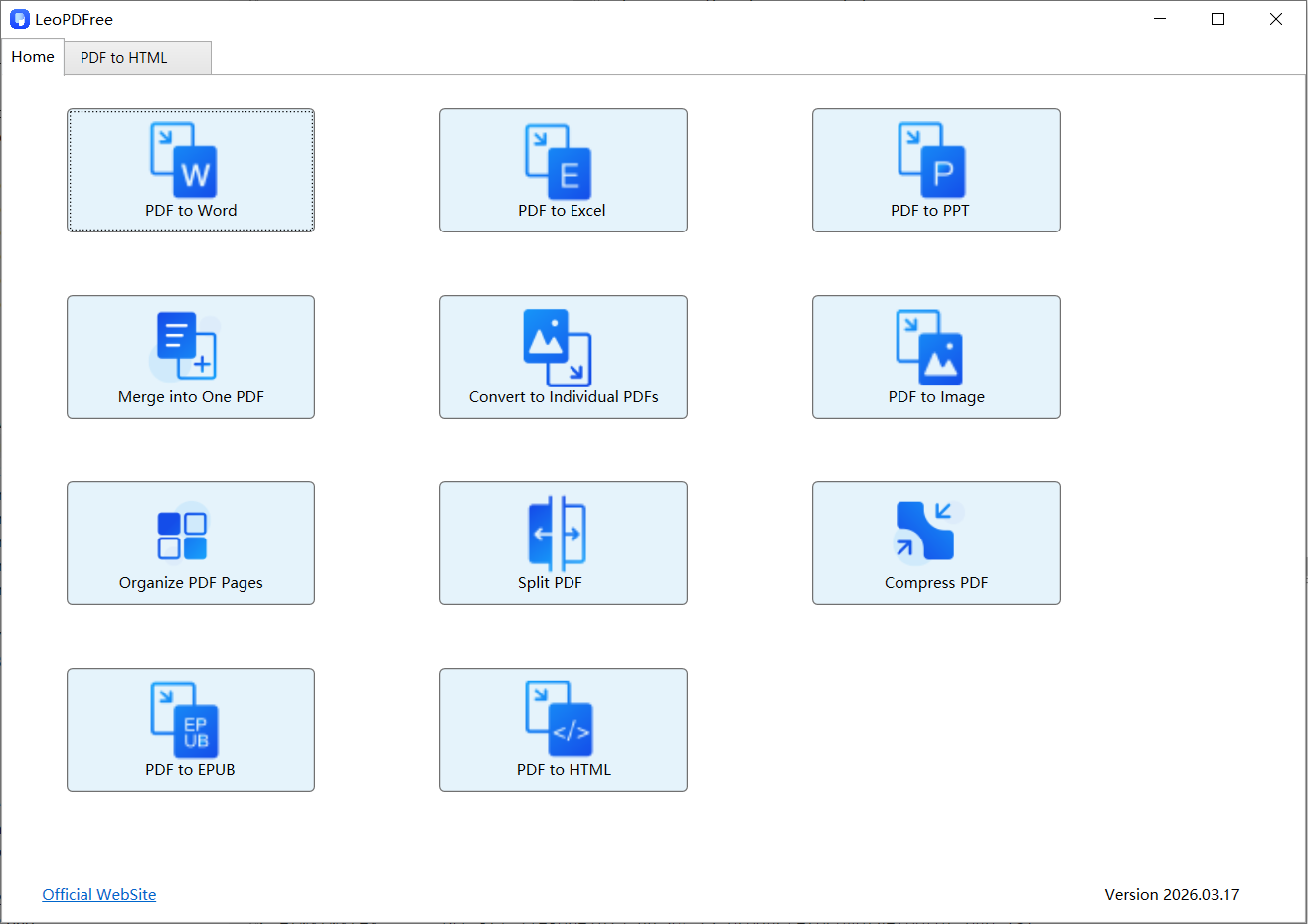
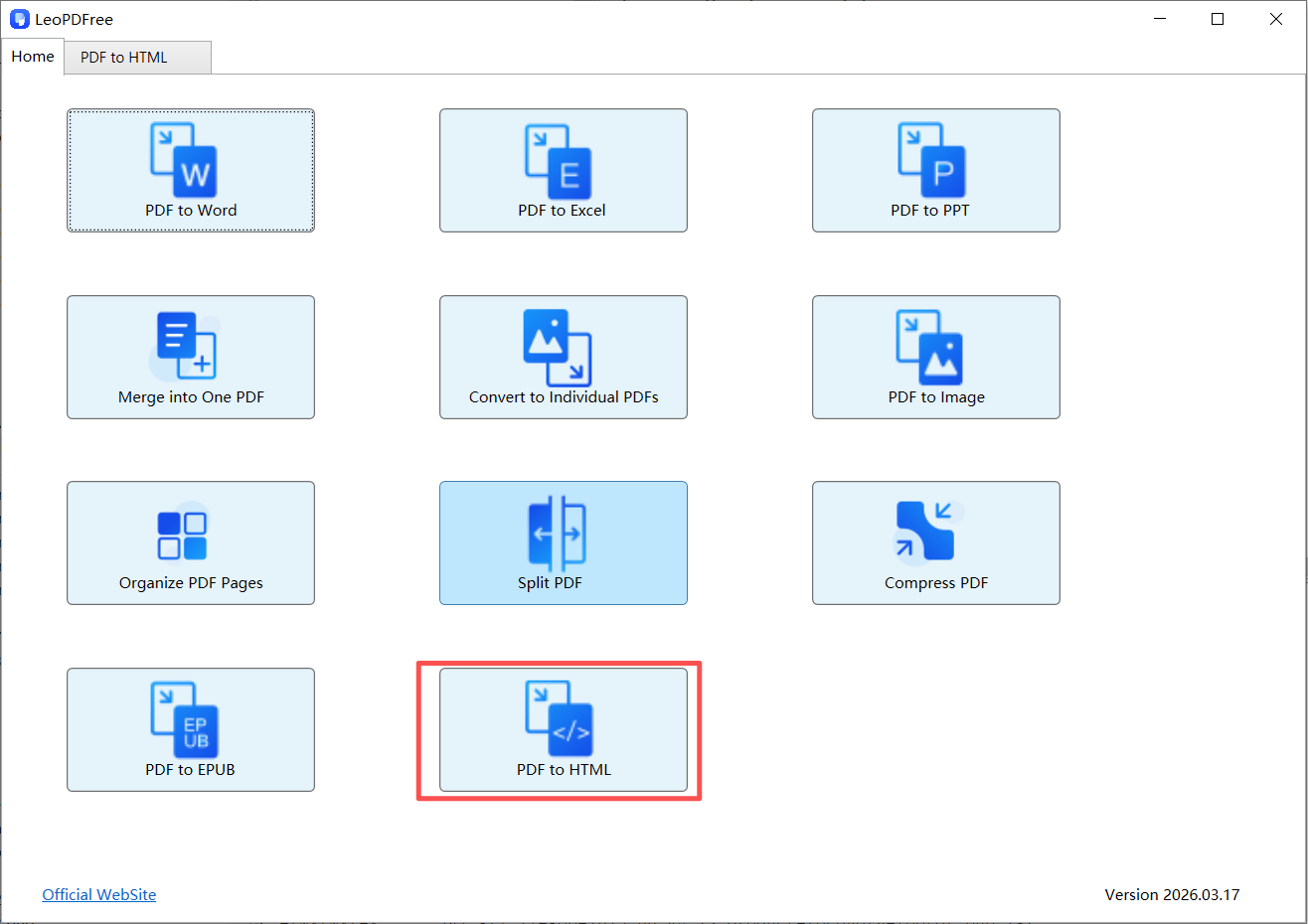
2️⃣. On the opened interface, click the “PDF to HTML” button, as shown in the image below.
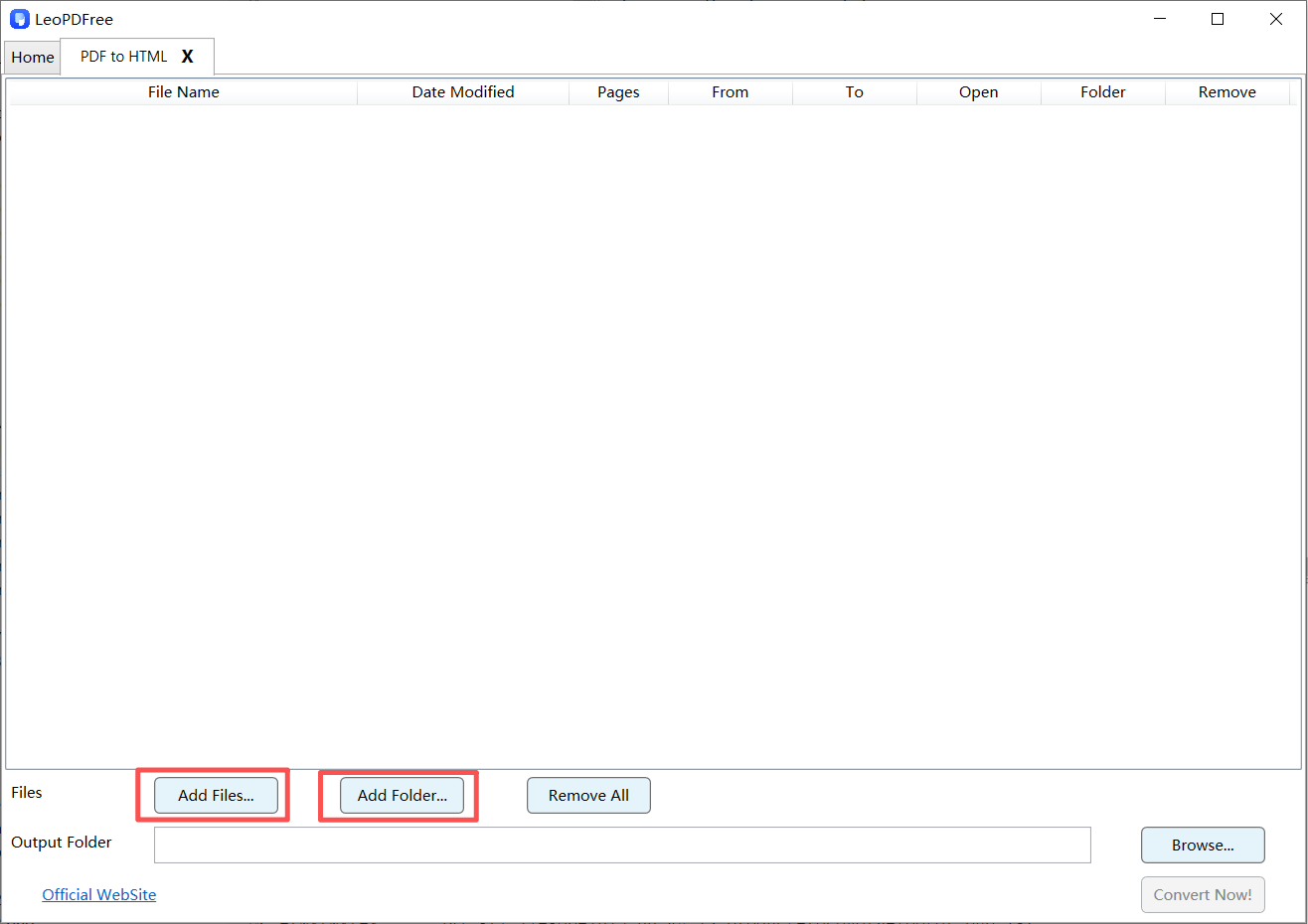
3️⃣. Next, on the opened interface, click “Add Files…” or “Add Folder…” to add one or more files you want to convert, as shown in the image below.
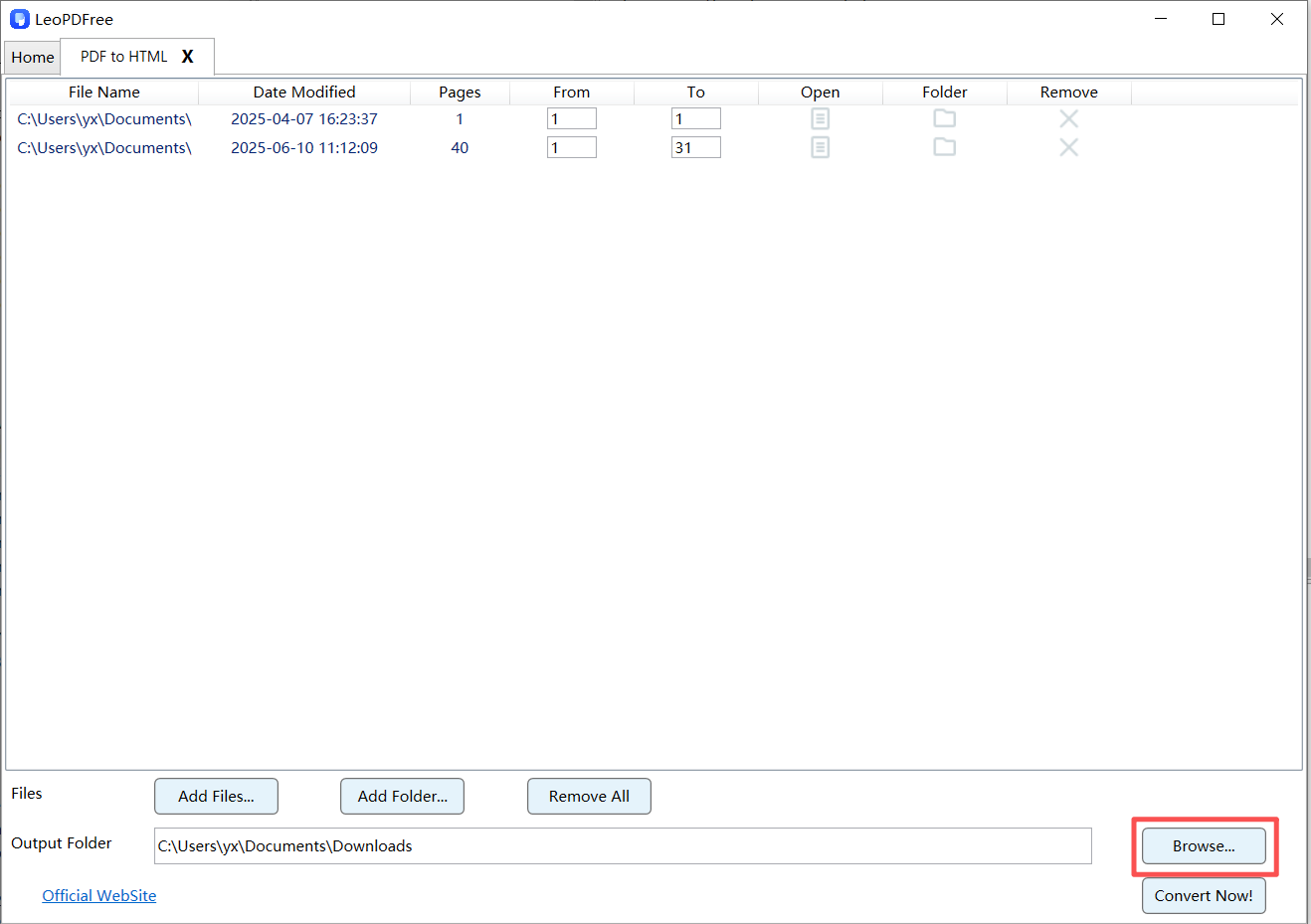
4️⃣. Next, continue by clicking the “Browse…” button on the interface to set the save path for the converted new file, as shown in the image below.
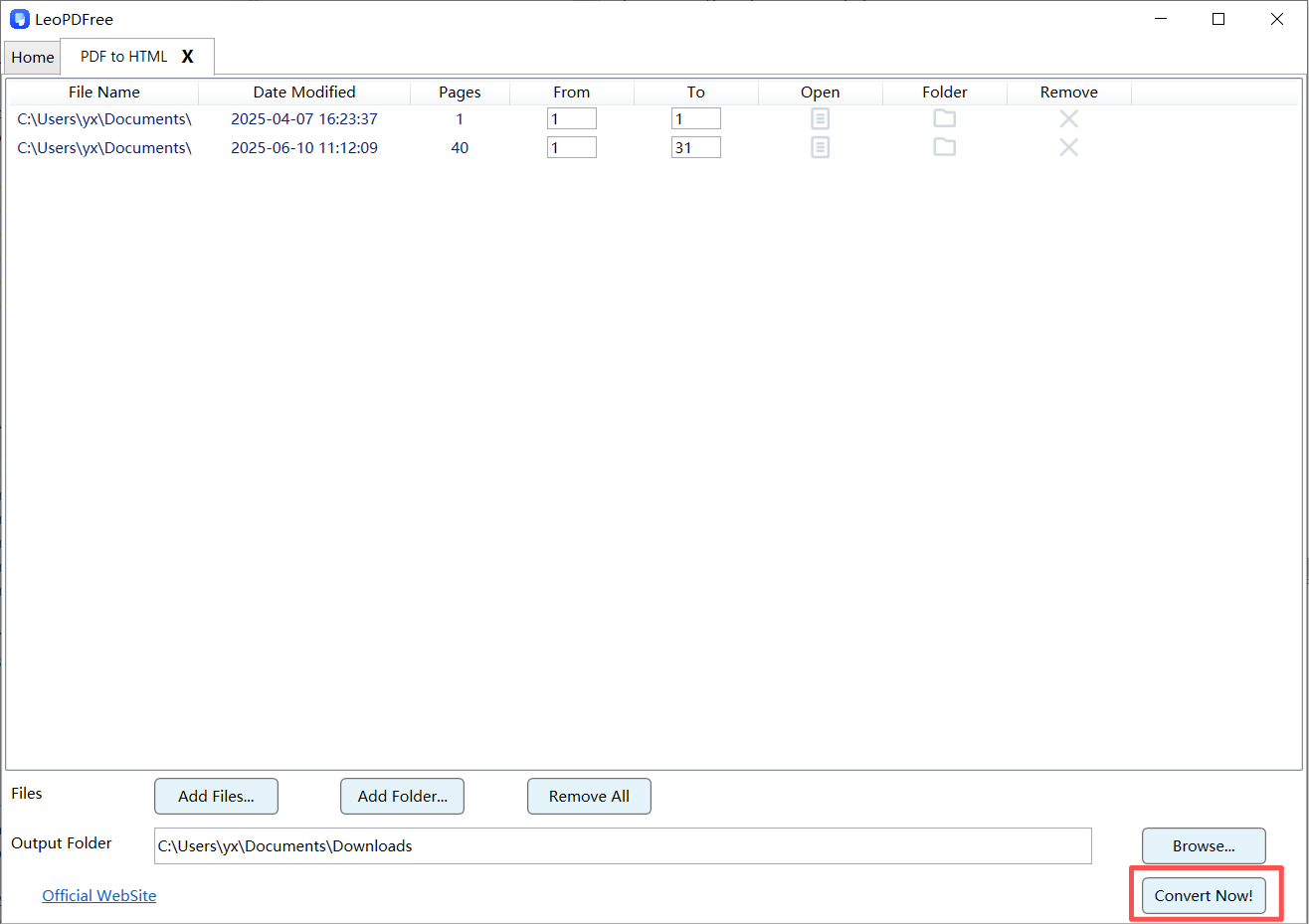
5️⃣. Once all preparations are complete, simply click the “Convert Now!” button on the interface, and the software will quickly complete the conversion based on the size of the file(s) to be converted, as shown in the image below.
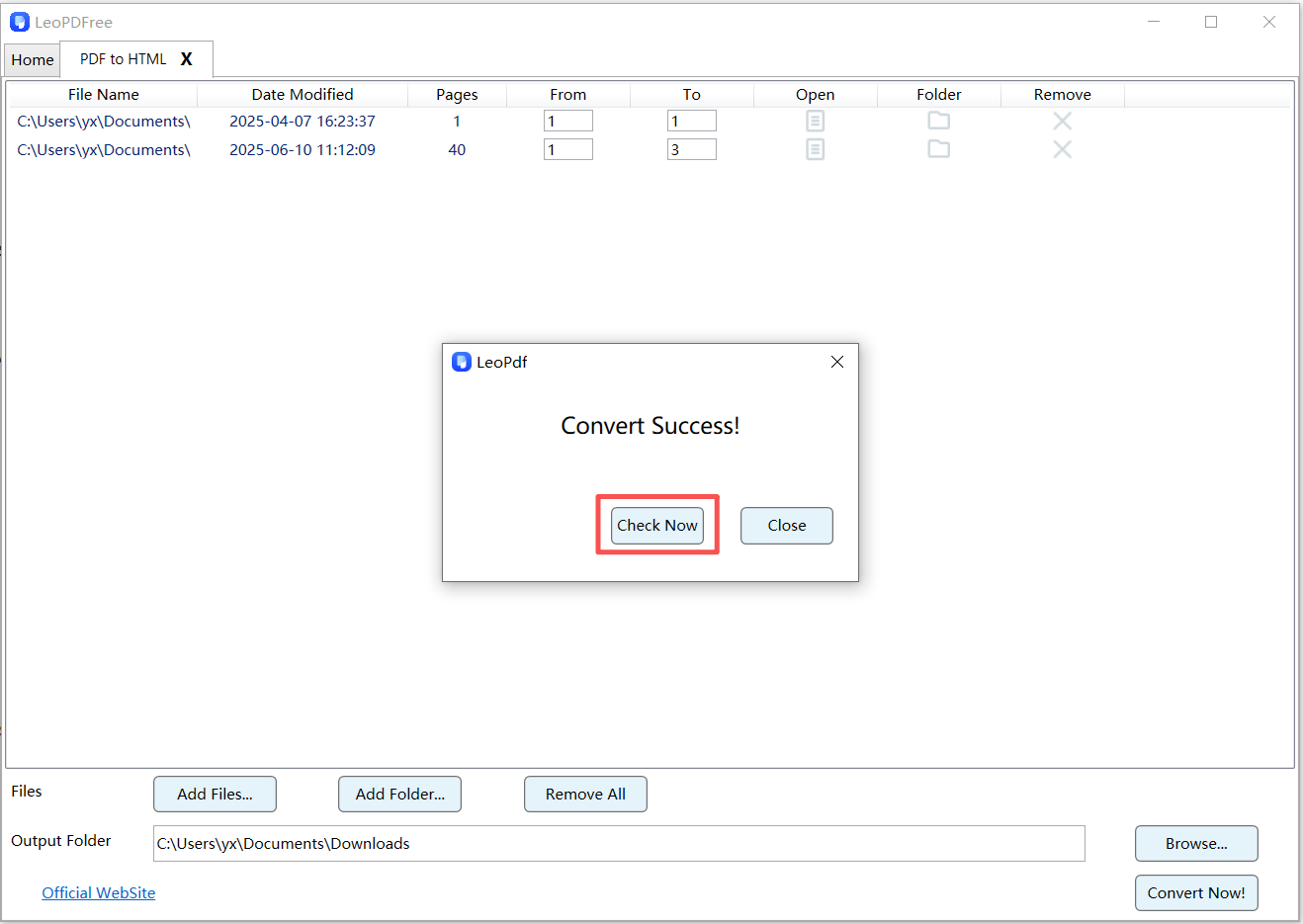
6️⃣. When the software pops up a new window, it indicates that the conversion has been completed. Click the “Check Now” button to quickly view the results of the converted file. Isn’t it very convenient? Go ahead and download it to try it out, as shown in the image below.
🚀 Method 3: Smart Rebuild (Easy in the Long Run)
Best for: blogs, websites, and SEO pages
Instead of directly converting, you:
👉 Extract content and rebuild it for the web
Workflow
1️⃣. Copy or extract text from PDF
2️⃣. Organize content into sections
3️⃣. Recreate structure using HTML tags
4️⃣. Optimize for readability
Why It’s Actually “Easy”
- ▪ No messy code cleanup
▪ Full control over layout
▪ Better long-term usability
🧠 Quick Comparison: Which Method Is Truly Easy?
| Method | Speed | Clean Output | Best Use |
|---|---|---|---|
| Online Tool | ⭐⭐⭐⭐⭐ | ⭐⭐ | Quick tasks |
| LeoPDF Method | ⭐⭐⭐⭐⭐ | ⭐⭐⭐⭐⭐ | General use |
| Rebuild Method | ⭐⭐ | ⭐⭐⭐⭐ | SEO & websites |
🔧 Tips to Convert PDF to HTML Easily (Without Headaches)
▪ Use simple PDF layouts when possible
▪ Avoid multi-column PDFs
▪ Always preview HTML before publishing
▪ Remove unnecessary styles
▪ Keep structure clear (headings, paragraphs, lists)
These small habits make a big difference.
❌ Common Mistakes That Make It Hard
Many users struggle because they:
▪ Expect perfect conversion from complex PDFs
▪ Ignore formatting cleanup
▪ Use the wrong method for their goal
▪ Try to preserve every visual detail
👉 The more you chase “perfect layout,” the harder it becomes.
📌 FAQ
Can I convert PDF to HTML for free?
Yes, many online tools offer free basic conversion.
Will the HTML match the PDF exactly?
Not always. Complex layouts may need adjustments.
What is the easiest method overall?
For most users:
👉Using the LeoPDF tool is the fastest and easiest way to convert.
🧾 Final Thoughts
If you want to easily convert PDF to HTML, the key is not the tool, but the method.
▪ For speed: use an online tool
▪ For speed and clean output: use the LeoPDF tool
▪ For long-term use: rebuild the content
True “ease” doesn’t mean doing fewer steps;
it means avoiding unnecessary, repetitive work.
By choosing the right method, you can easily convert PDFs into clean, efficient, and web-ready HTML content.
