
How do I convert a PDF to an EPUB? With the rapid advancement of digital technology, the field of document processing has witnessed unprecedented diversification and refinement. Among numerous file formats, the PDF stands out due to its exceptional presentation capabilities and broad compatibility, making it an important medium for information transmission and storage. A PDF not only includes various elements such as text, images, hyperlinks, and data tables, but its unique cross-platform feature ensures consistent document rendering across various devices. Whether on a computer, tablet, or smartphone, the original appearance is perfectly preserved without any formatting issues. Additionally, the built-in security mechanisms of PDFs, such as password protection, establish a solid line of defense for the file content, effectively preventing unauthorized access and tampering, thereby ensuring the privacy and security of the information.
However, in today’s world where e-reading is becoming increasingly popular, compared to the EPUB format specifically designed for e-books, PDFs show some limitations in certain aspects. Specifically, PDF files tend to be relatively large in size, not only occupying more storage resources but also consuming more network bandwidth during sharing. In contrast, EPUB stands out with its lightweight nature and flexible editing capabilities. It allows users to adjust font styles, sizes, and even paragraph layouts according to their personal reading habits, greatly enhancing the personalization and comfort of reading. Next, I will introduce three simple and easy-to-use conversion methods. Come and take a look!
Adobe Acrobat
Adobe Acrobat boasts features such as being efficient, precise, and functionally rich in format conversion. It performs exceptionally well in converting between PDF and other formats (such as EPUB, Word, Excel, etc.). Additionally, it supports OCR technology and is secure and reliable, protecting user privacy. However, it requires payment (or “it is a paid tool/software”), so those with budget constraints should choose with caution!

Adobe can convert PDF format to EPUB format
1.Open the PDF file you want to convert in Adobe Acrobat.
2.Click on the “File” menu, select “Export To”, and then choose “EPUB (Electronic Publication)” as the export format from the pop-up options.
3.Set the export options as needed, such as layout, image processing, etc.
4.Click the “Save” button and select a saving location to complete the conversion.
iLovePDF
iLovePDF is a comprehensive document management platform that assists businesses or individuals in optimizing their workflows and enhancing efficiency. It offers a centralized platform enabling users to manage, organize, optimize, and edit PDF documents quickly and easily.
iLovePDF boasts features such as converting, merging, splitting, compressing, rotating, and annotating documents. It supports document conversion in multiple file formats and allows the creation of document groups using company logos and signatures. For any organization looking to digitize its files, iLovePDF is an excellent choice.
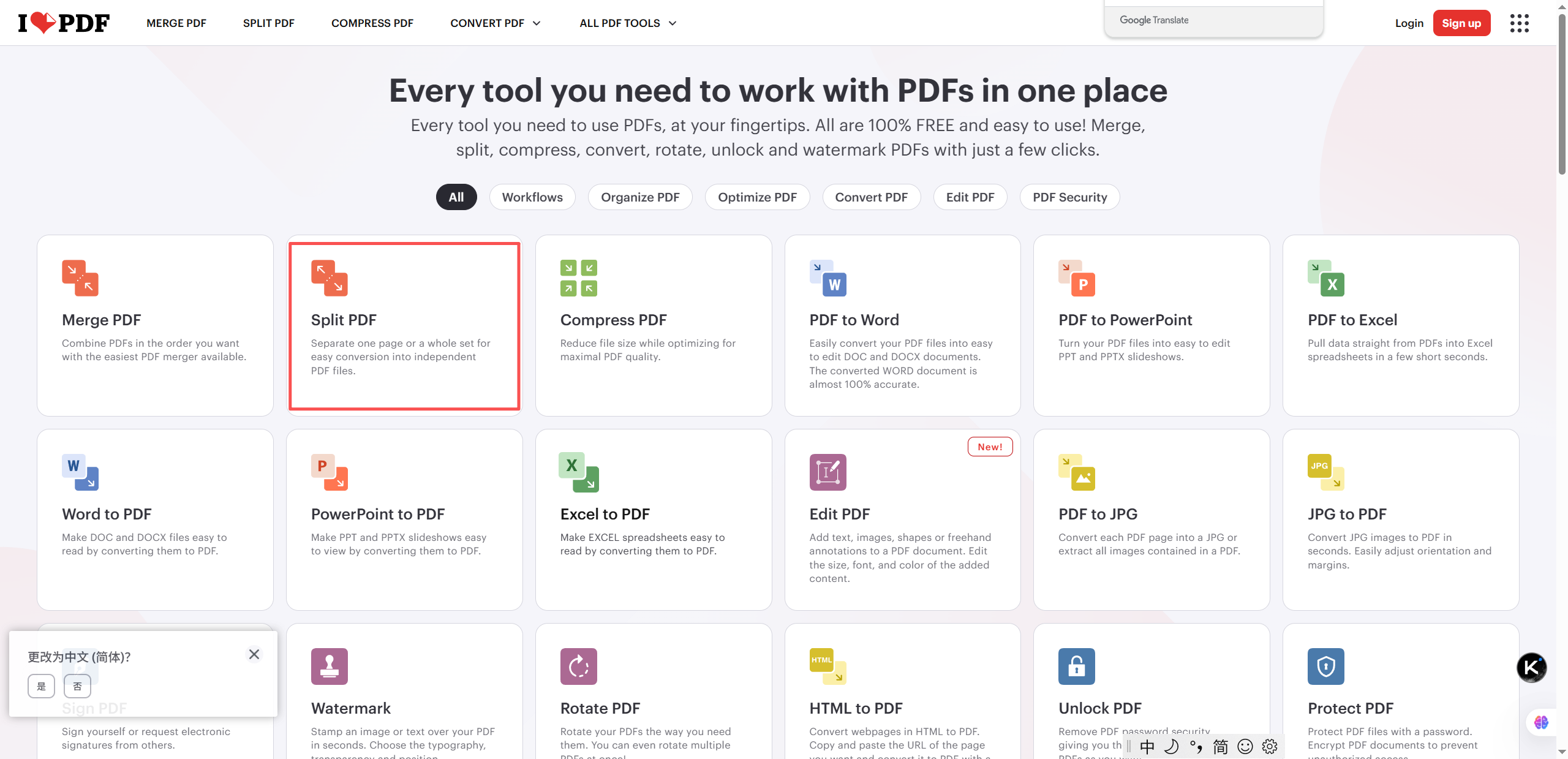
Organization and optimization functions
iLovePDF makes file conversion and processing more convenient through its drag-and-drop interface.
Users can fulfill multiple conversion and editing needs on this platform. Additionally, users can compress large files or split a file into separate pages to edit PDFs.
Furthermore, it includes features such as adjusting page orientation and adding annotations when necessary.
Conversion function and translation function
The conversion function of iLovePDF is relatively comprehensive in terms of scope, as it allows users to convert documents into various formats, such as Word, Excel, PPT, JPG, and so on.
This enables users to obtain files and information in different file formats. Moreover, users can also translate documents into multiple languages, which simplifies communication and reading for users of different languages.
Creating Document Groups and Signatures
As an online processing tool, iLovePDF allows teams to create document groups with specific watermarks or unique signatures when handling confidential files or sensitive information requiring enhanced security measures. These security features are automatically applied upon opening the document group, ensuring full protection of critical data while permitting authorized personnel to access only task-relevant content.
Overall, iLovePDF provides a comprehensive suite of tools that enable businesses and individuals to manage digital assets more efficiently than ever. Though it currently lacks a PDF-to-EPUB converter, its other conversion tools help teams save time and resources when handling multiple file formats daily.
While alternatives like LeoPDF excel in specific tasks such as PDF-to-EPUB conversion, iLovePDF distinguishes itself through integrated features designed for streamlined digital document management on a unified platform.
LeoPDF-The Best Free PDF to EPUB Converter Tools
When you need to convert PDF files to other formats, LeoPDF is undoubtedly your ideal free tool. This converter with proprietary core technology requires just a few simple steps—no technical background needed—to transform any PDF into EPUB, images, DOCX, Excel, or PPT formats within seconds. It also offers features like compression and PDF page extraction. Next, I’ll outline how to convert PDF to EPUB using this tool.
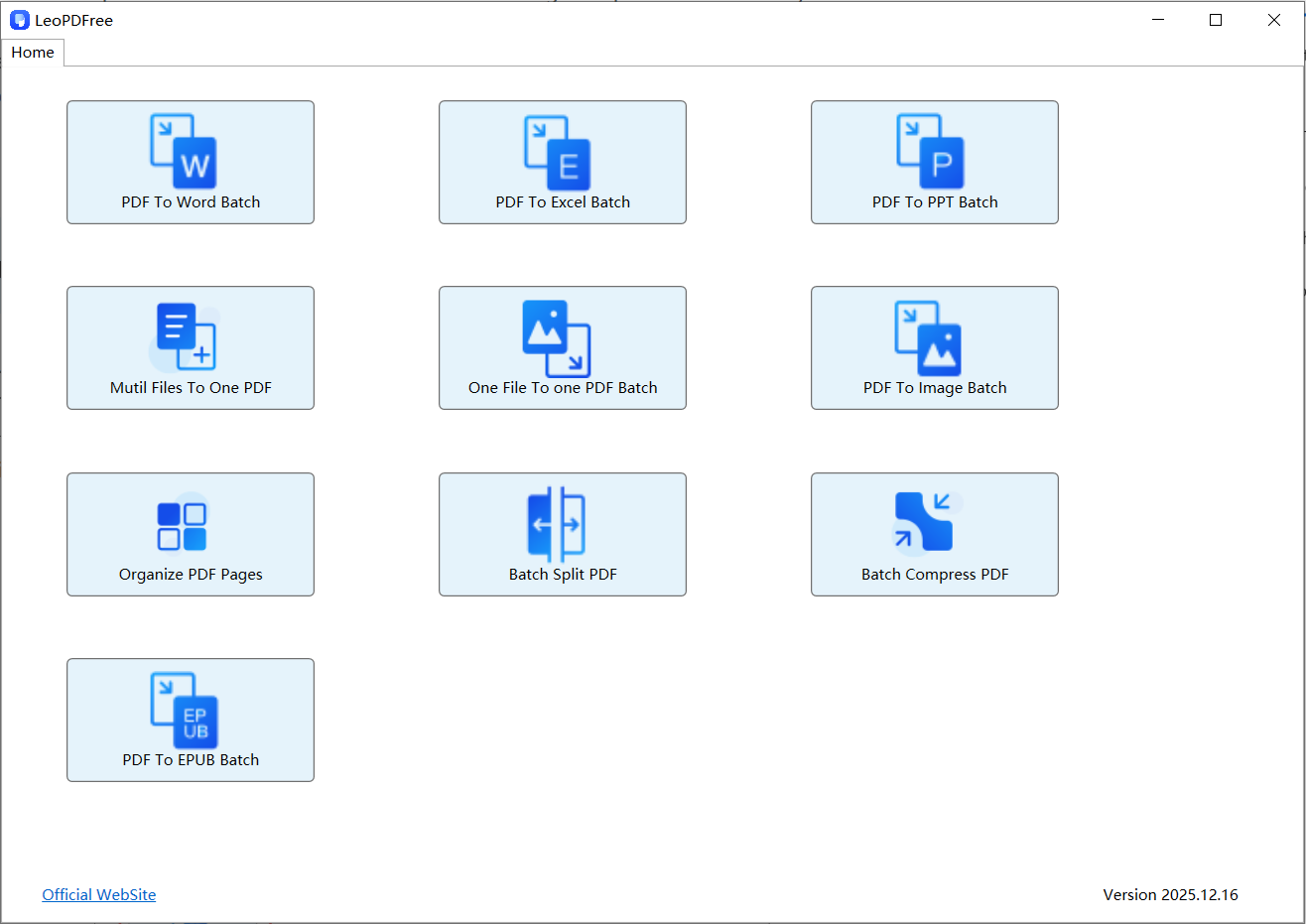
Here is how to convert PDF to EPUB using LeoPDF:
1 Download and install LeoPDF, then launch the software and click “PDF To EPUB Batch” on the interface, as shown in the figure below.

2 In the open window, click “Add Files” or “Add Folder” to add one or multiple PDF files for conversion, as shown in the figure below.

3 Then click “Choose Folder” to set the save path for the converted files, as shown in the figure below.

4 Once all preparation work is complete, simply click “Convert Now!” on the interface. The software will complete the conversion in seconds based on the file size, as shown in the figure below.

5 When the system displays “Convert Success!”, it indicates the conversion process is fully completed. Simply click “Check Now” to instantly open and verify the converted files. Isn‘t it efficient and user-friendly? Go download and experience it now!

Conclusion
LeoPDF stands out as a professional PDF-to-EPUB tool, delivering exceptional conversion efficiency and output quality—particularly ideal for users with multi-device reading needs. Its core “precision-customizable” conversion technology maintains layout accuracy while rapidly generating EPUB files compatible with various devices.
Whether processing individual files or batch conversions, its intuitive interface coupled with flexible customization options comprehensively addresses diverse needs. While ensuring high-speed processing and premium output, its completely free nature (unlike Adobe’s paid services or iLovePDF’s limited free tier) makes it what I consider a “compact yet powerful” practical solution.
If you frequently need to convert textbooks or academic PDFs into portable eBook formats, LeoPDF is a hassle-free choice—simplifying professional requirements into one-click operations.
