
In the digital office era, PDF documents have become the preferred choice due to their cross-platform compatibility and format stability. However, when a file contains redundant pages or sensitive data that you don’t want to share, accurately deleting specific pages becomes a common challenge. This article will introduce a free method to remove pages, helping you easily optimize your document structure and meet your private customization needs.
LeoPDF professional software: an efficient and precise choice.
LeoPDF excels in deleting PDF pages with precise positioning—it can delete a single page or batch-delete multiple pages. Moreover, it offers advantages such as simple operation, high efficiency, rapid processing, preservation of file integrity, and reliability. The core benefit is that it is completely free to use.Now, I will introduce the specific steps for deleting pages:
1️⃣First, download and install the LeoPDF software. Then, open the software, as shown in the following image:
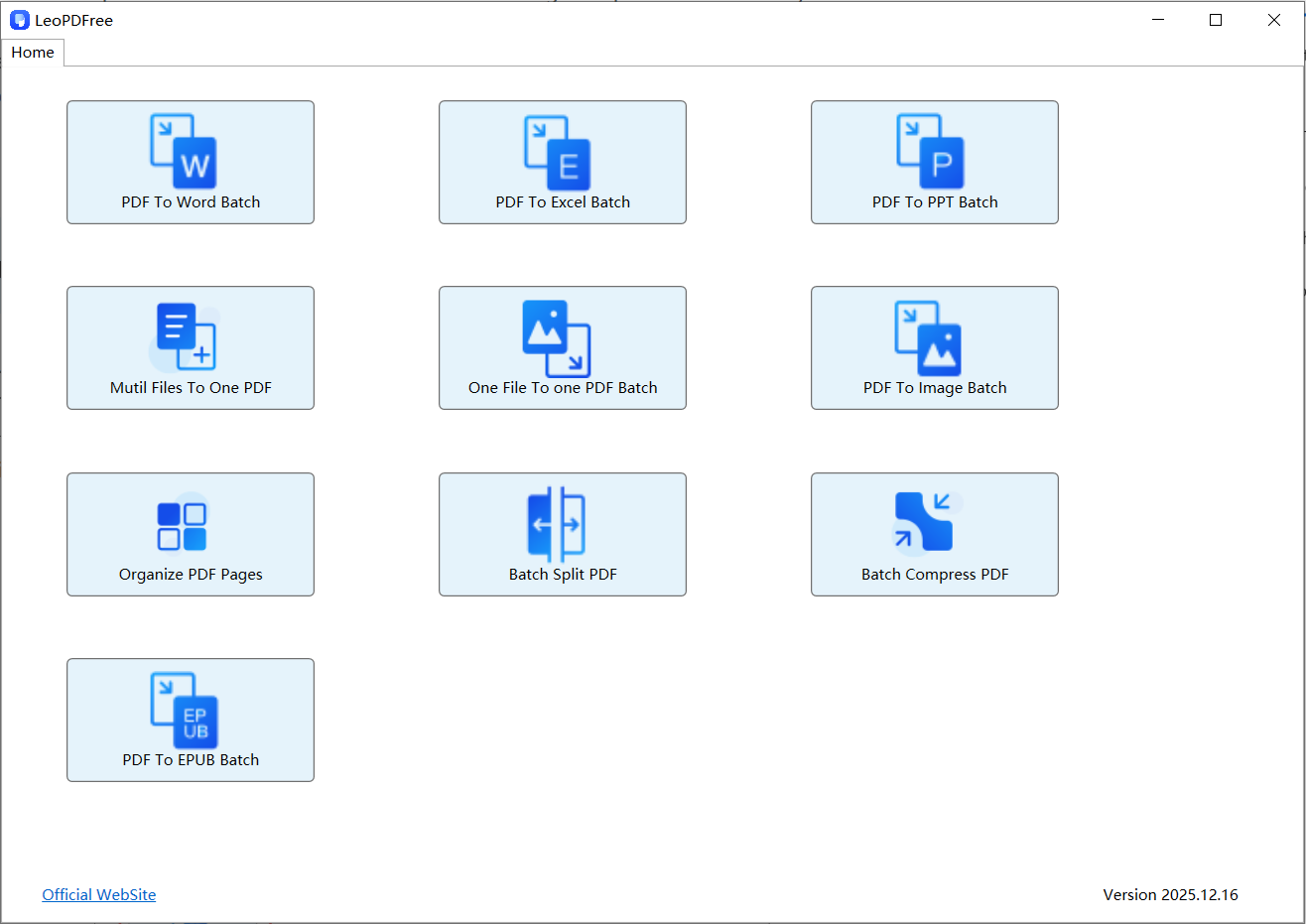
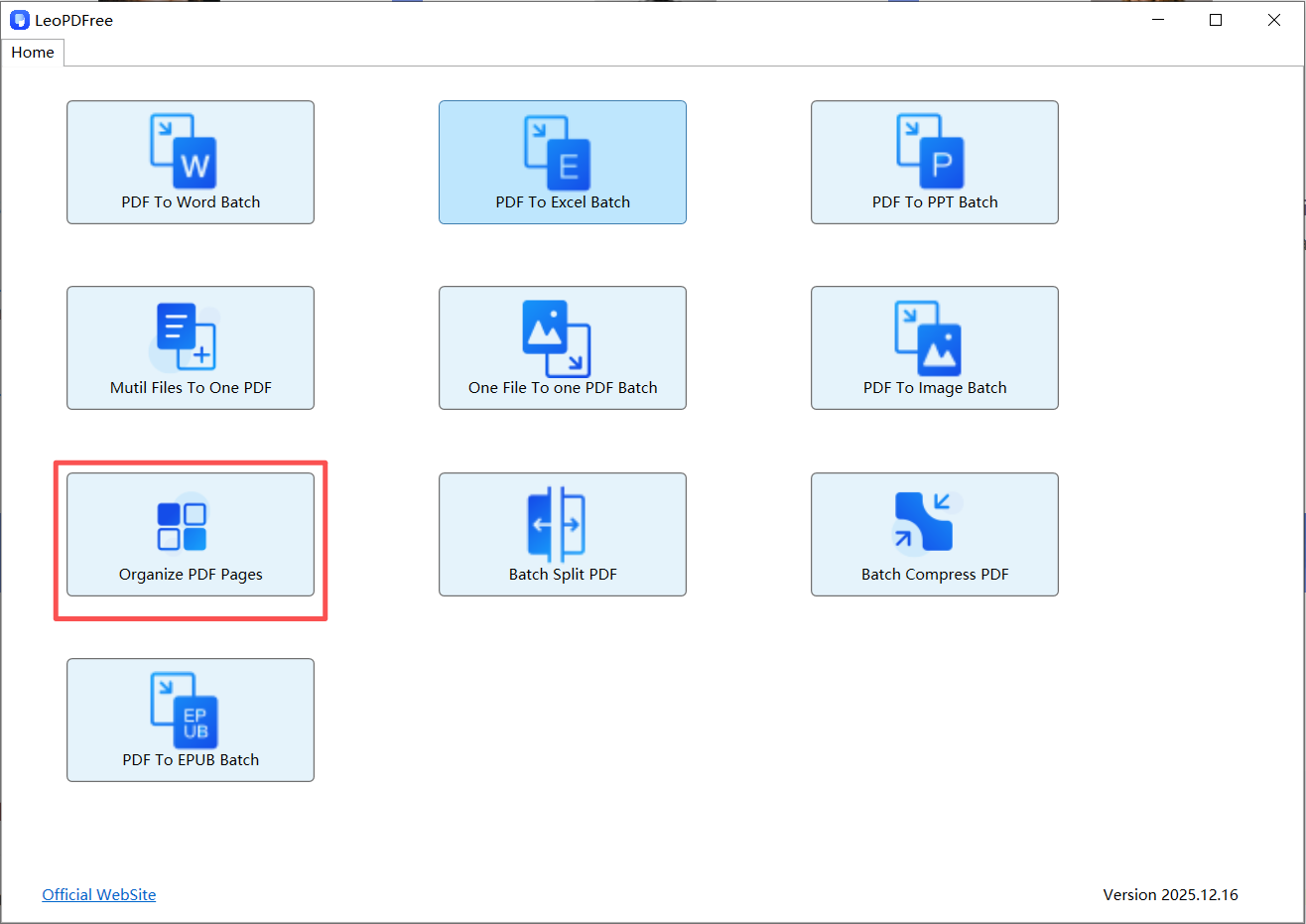
2️⃣On the opened interface, click “Organize PDF Pages” to add the PDF file from which you want to delete pages, as shown in the following image:
3️⃣On the interface for adding a PDF file, use Ctrl + mouse clicks to select one or more pages to be deleted, as shown in the following image:
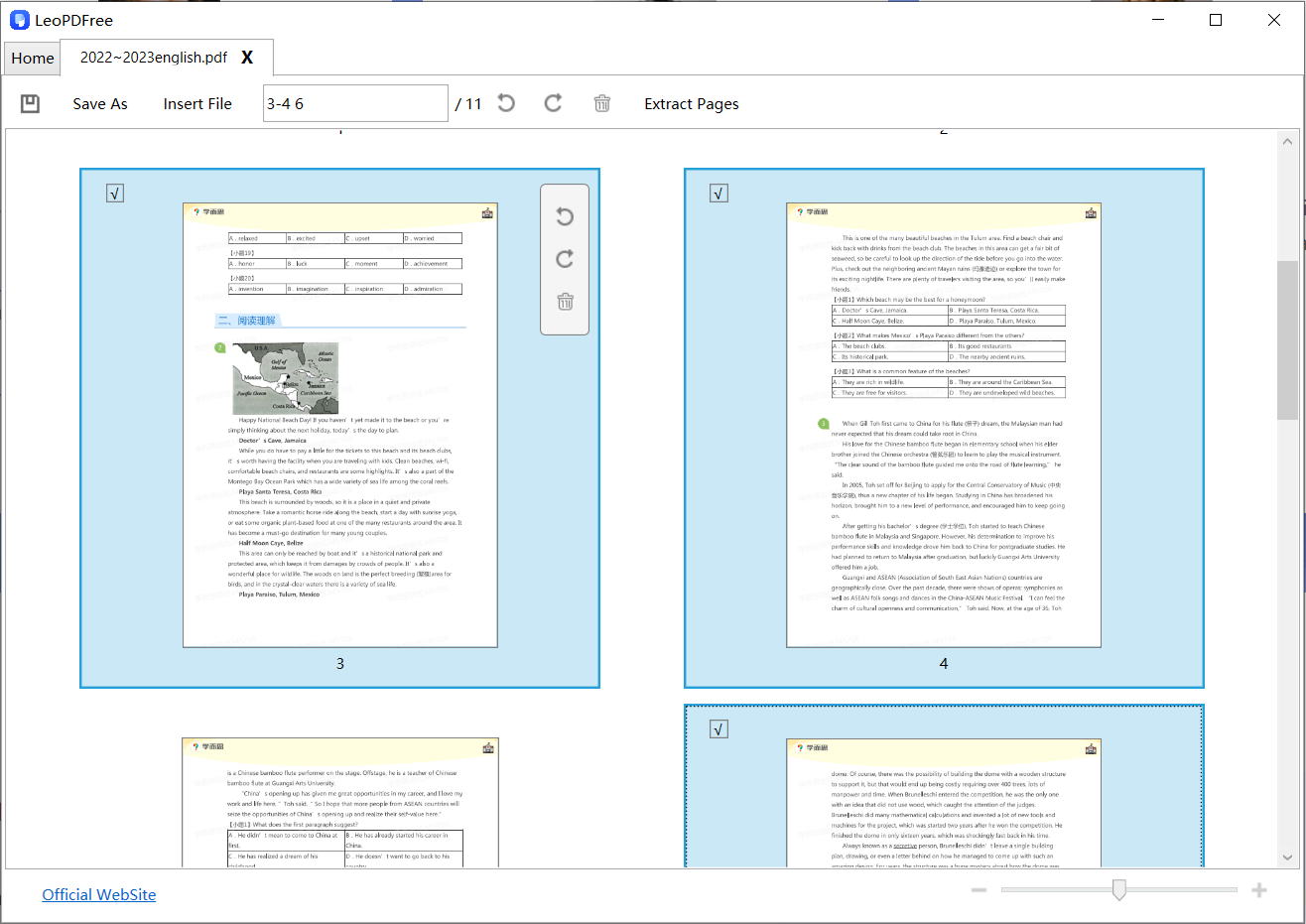
4️⃣You can also click in the “Insert File” edit box on the window to enter the page numbers to be deleted. As shown in the following image:
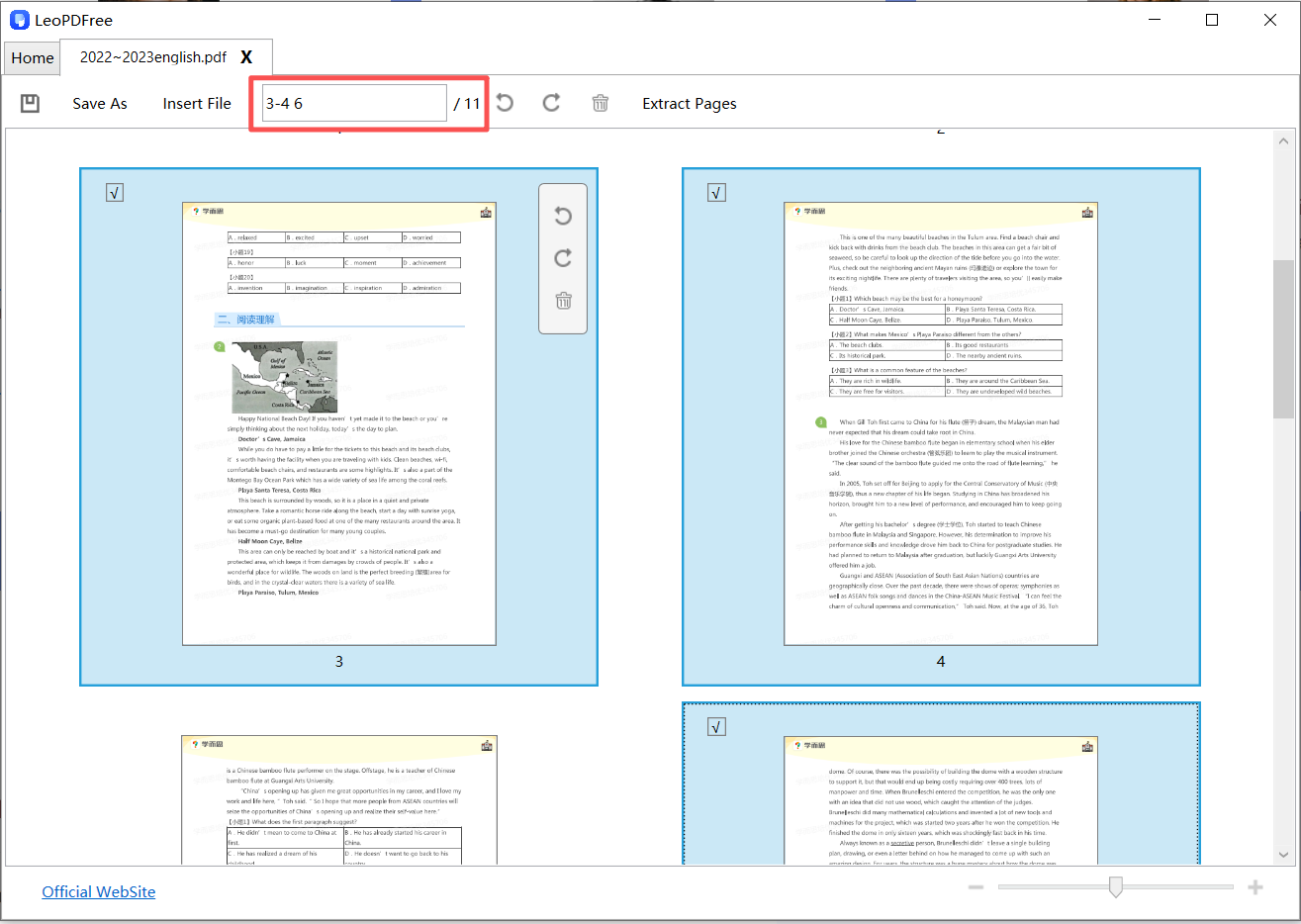
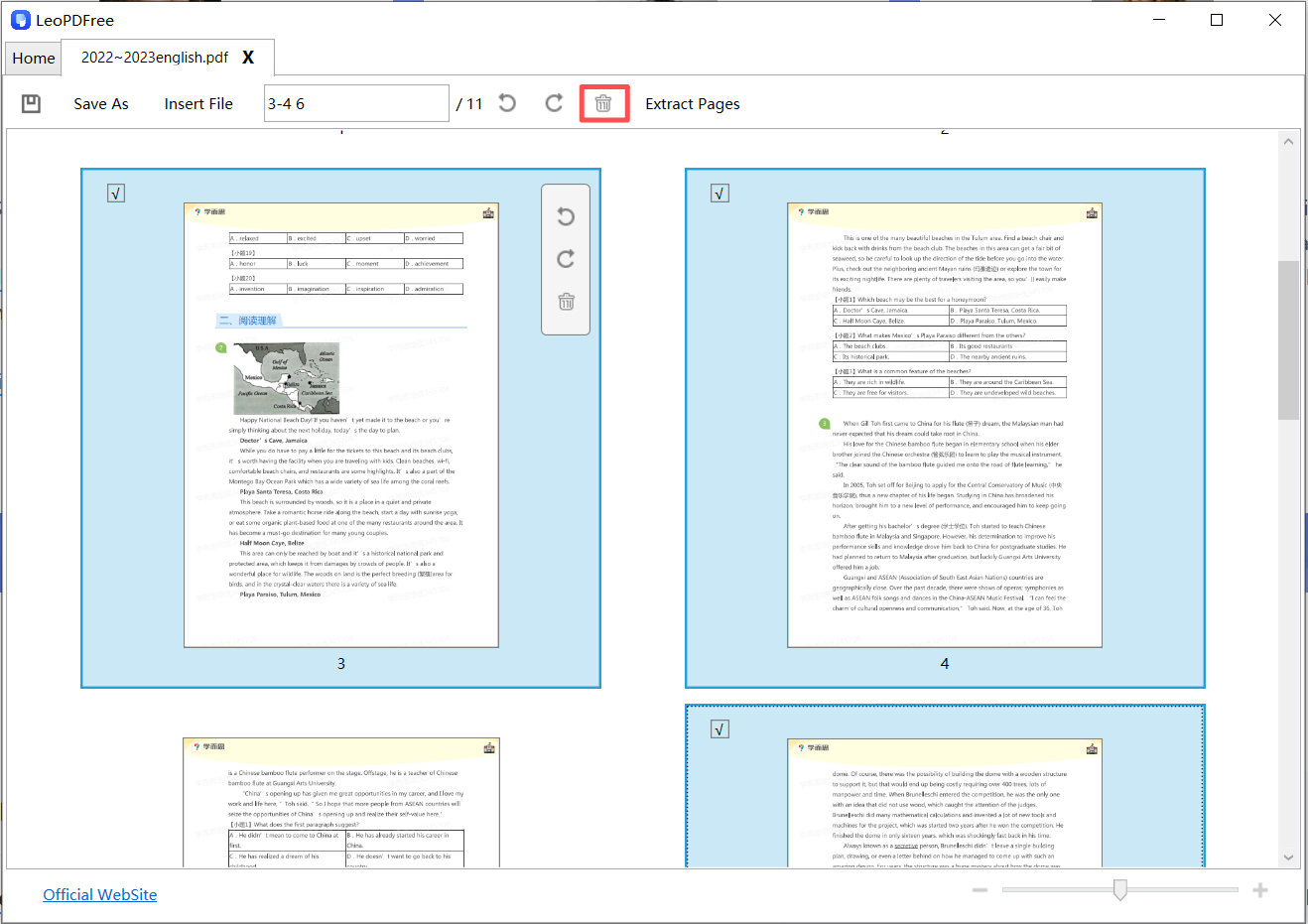
5️⃣After selecting all the pages to be deleted, simply click the delete button on the interface or right-click to delete. As shown in the following image:
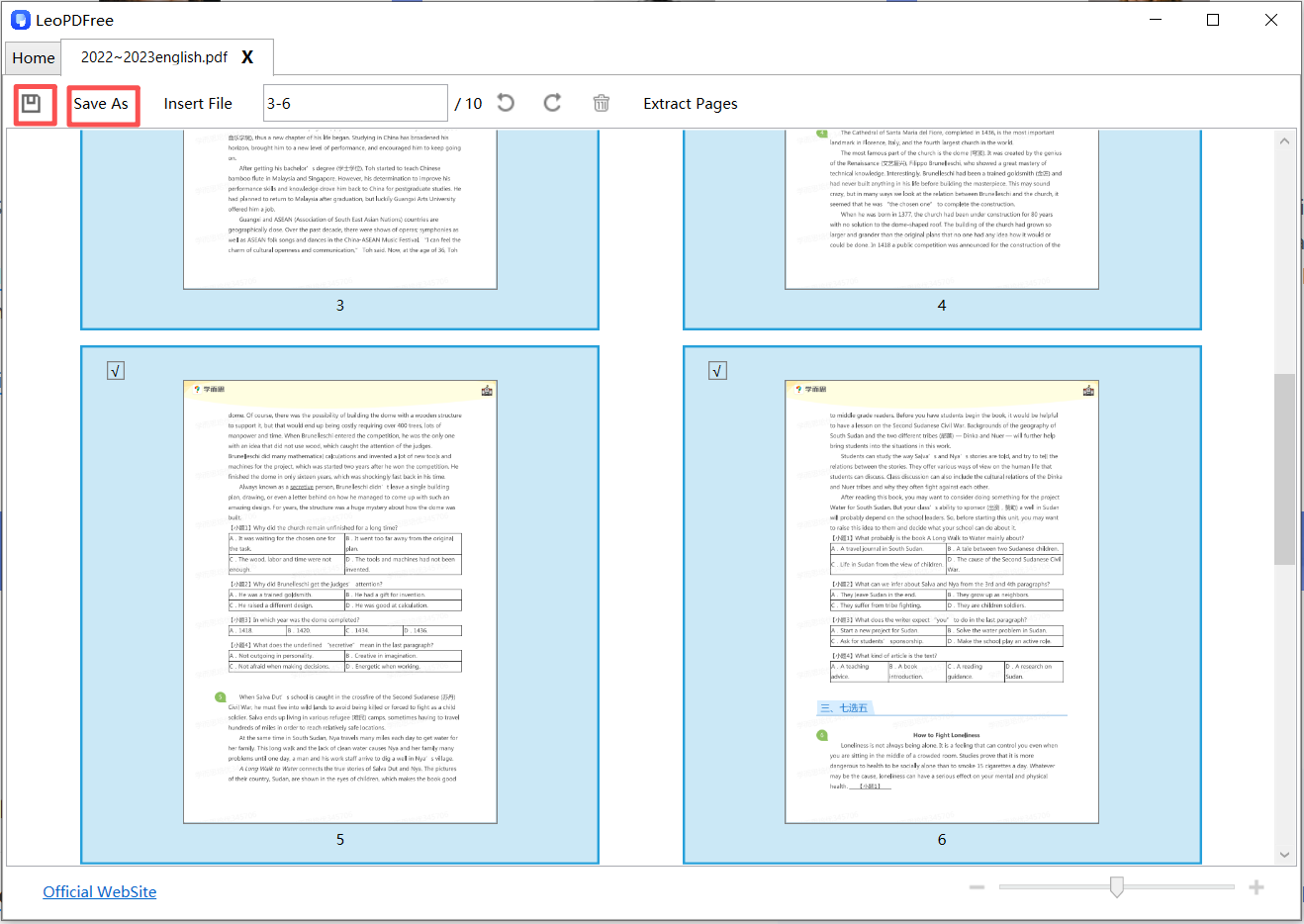
6️⃣Finally, after the deletion is complete, be sure to click the save button on the interface or click the “Save As” button. This concludes the process of deleting a single page or multiple pages, as shown in the following image:
Summary
LeoPDF stands out as a secure and efficient tool for deleting PDF pages. It excels with its free, efficient, and user-friendly features. Whether you are a financial professional or an investment banker, when it comes to deleting sensitive information on PDF pages, you can give LeoPDF a try. Since it operates offline, it can also ensure the security of your files.
