
The devices we use now all have memory limitations, and storing too much or excessively large files can have an impact on them. Therefore, when we receive relatively large files, we need to compress them. Next, I’ll share how to compress PDF files.
How to compress a PDF file for free?
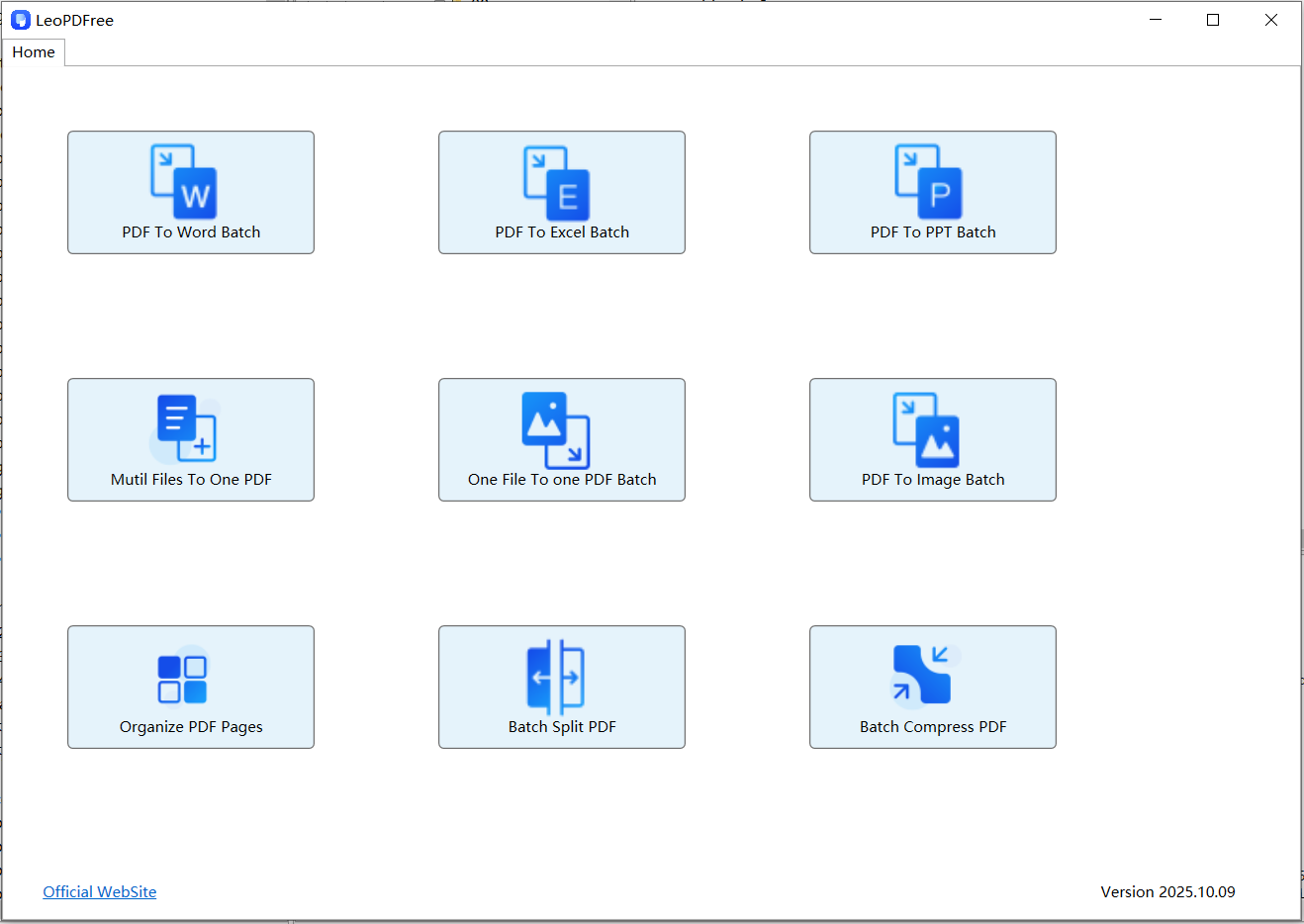
1.First, you can go to the official LeoPDF website to download the completely free LeoPDF tool. After the download is complete and successfully installed, open the software as shown in the figure below:
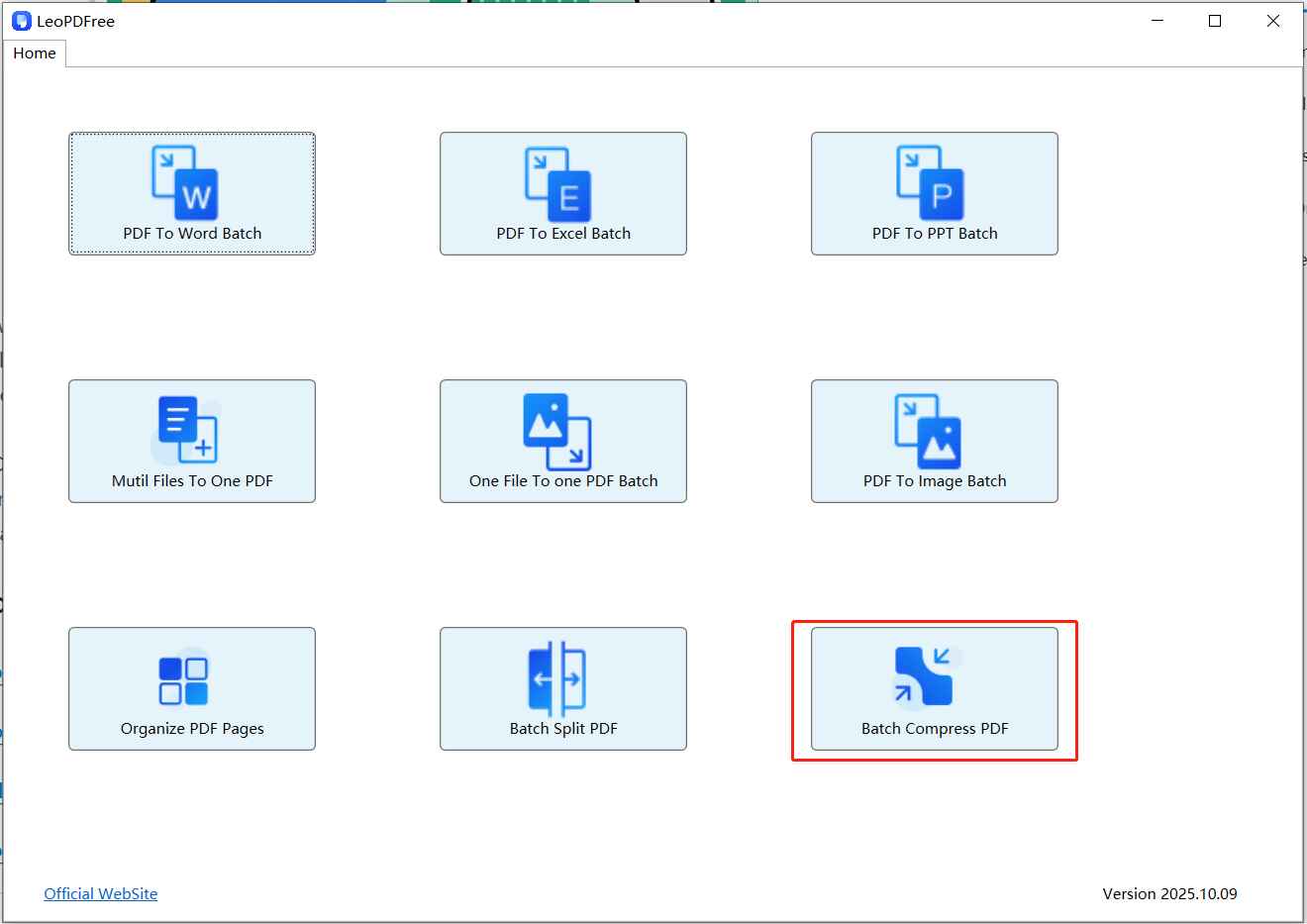
2.Once the software is open, click on “Batch Compress PDF” to access the file compression screen, which is shown in the image below:
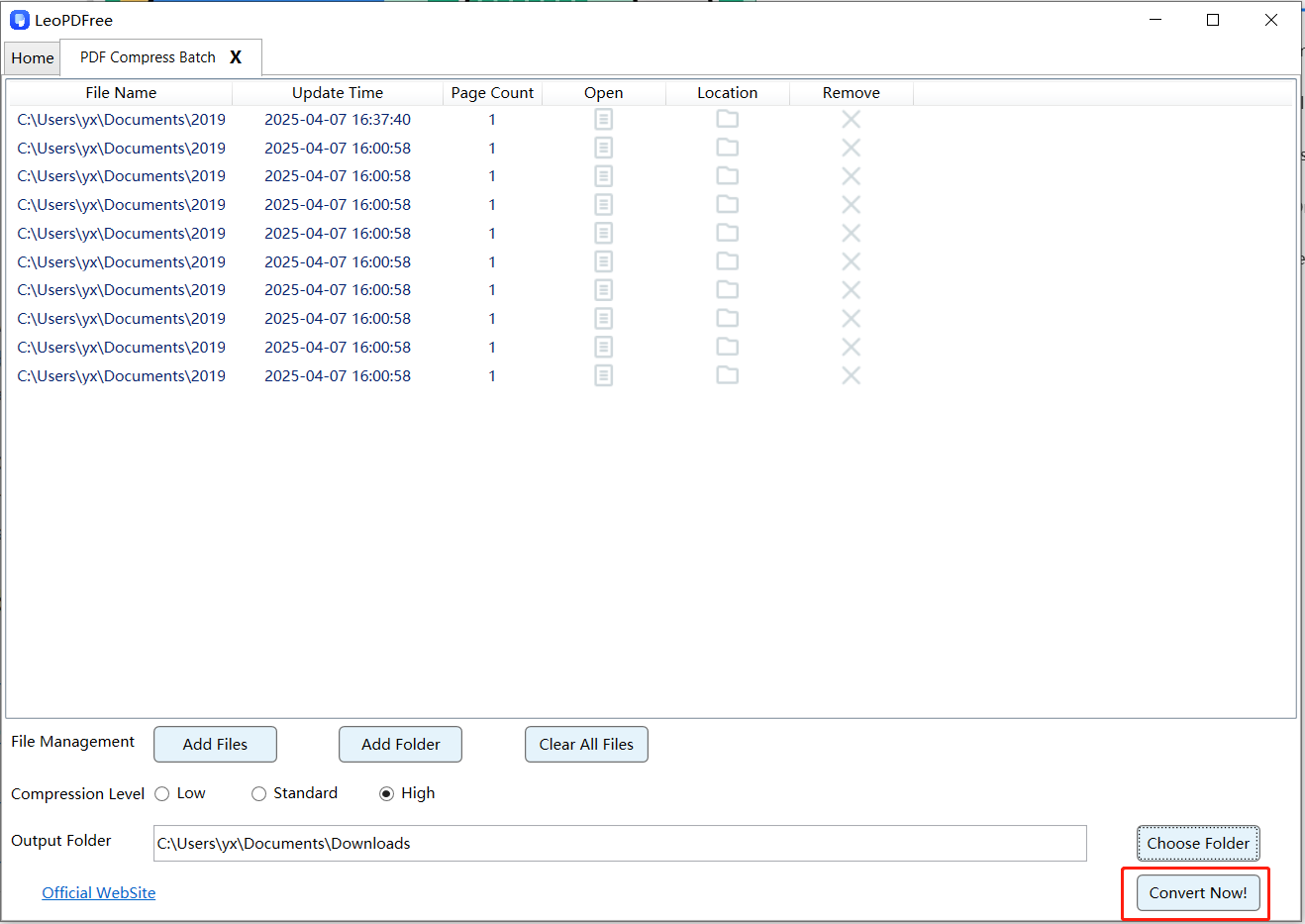
3.From this screen, click “Add Files” or “Add Folder” to add the PDF file(s) you wish to compress. Here, you can also choose your desired compression level (e.g., “Low”, “Standard”, or “High”) from the corresponding option, as shown in the image below:
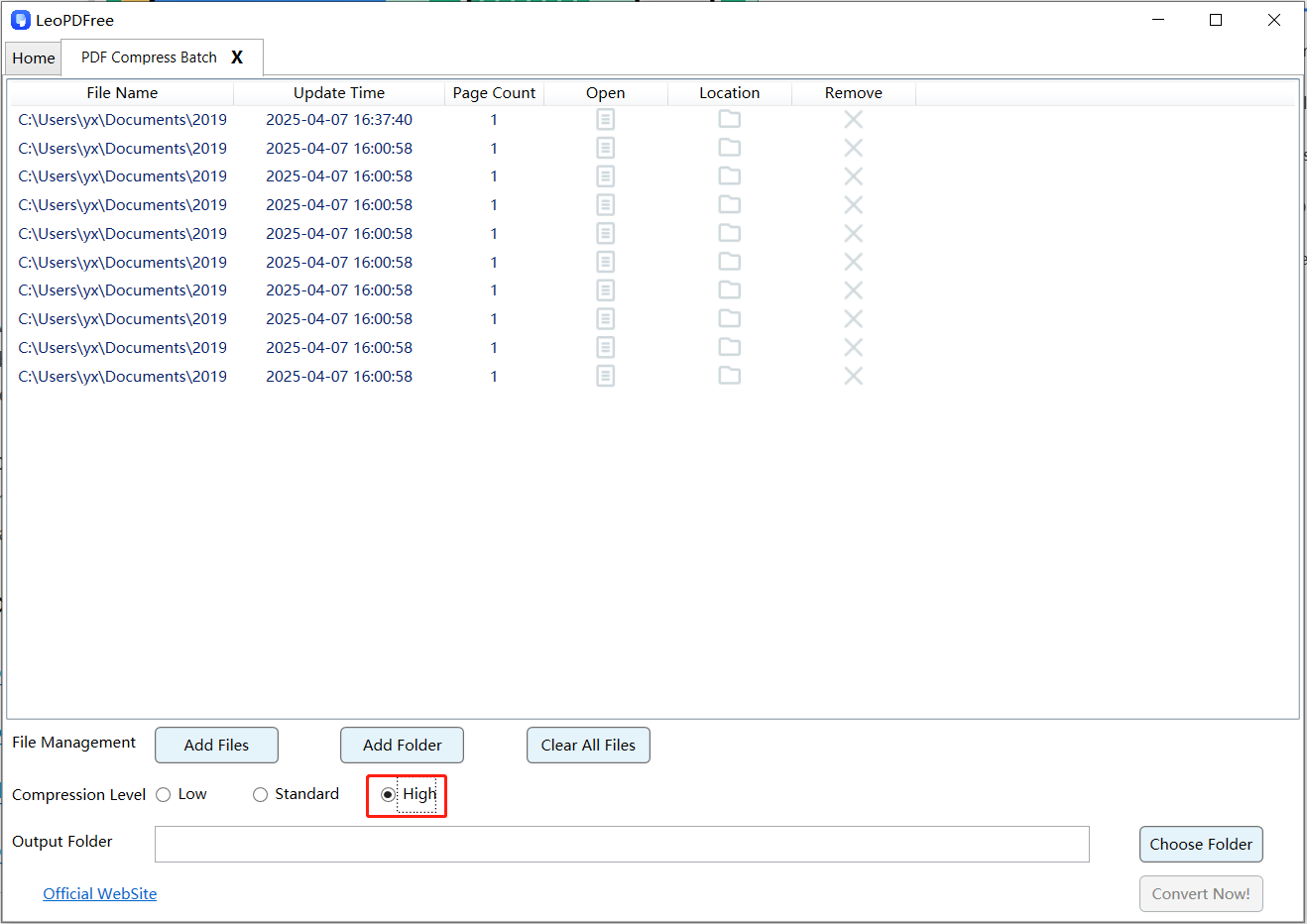
4.Next, click “Choose Folder” to set the save path for the compressed file(s). Once all compression preparations are complete, directly click the “Convert Now!” button on the interface. The tool will then quickly complete the compression for you, with the speed depending on the file size(s), as shown in the figure below.
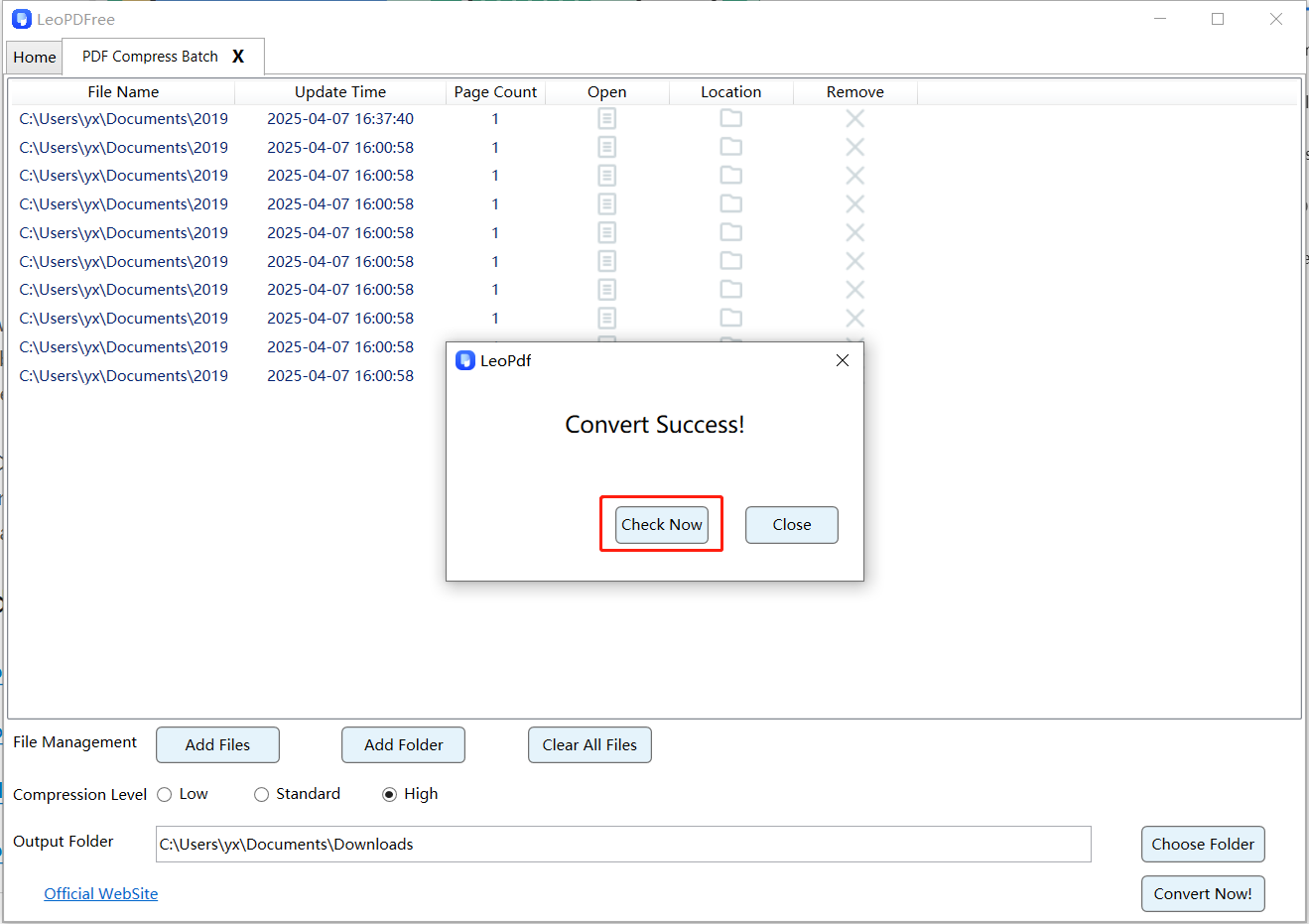
5.After the tool quickly completes the compression, simply click the “Check Now” button on the resulting pop-up interface to instantly preview the compression results. Alternatively, you can navigate to the save location to review the compressed file(s) separately. It’s a convenient and efficient process—go ahead and check the results now!
Conclusion
LeoPDF is a completely free compression tool, known for being free, secure, simple, and fast. It also offers a variety of other features, such as page extraction, compression, splitting, merging, and PDF conversions (including to Word, PPT, and Excel). This article has introduced this practical tool, and we hope LeoPDF will continue to bring us more and better utility features in the future.
100% Free & Safe
