
In the digital age, PDF files have become the cornerstone of professional communication, but their large file sizes can be a headache. Whether sending important documents via email, sharing files on cloud platforms, or storing information online, bulky PDFs can slow down transfers and consume valuable storage space. That’s where the free
LeoPDF compression tool comes in—a game-changing solution that instantly reduces file size without sacrificing quality, making document management effortless.
Why You Need PDF Compressor
Large PDFs are a common pain point. High-resolution images, embedded fonts, and complex graphics inflate file sizes, leading to slow uploads, download failures, and cluttered inboxes. A free PDF compressor addresses these issues by:
⏺Speeding up transfers:Smaller files upload and download in seconds, ideal for time-sensitive emails or cloud sharing.
⏺Saving storage space:Compressed files take up less room on your device or cloud account, freeing up resources for other tasks.
⏺Improving accessibility:Lightweight documents load faster on any device, ensuring smooth viewing on smartphones or tablets.
How to compress PDF files for free
Using the free LeoPDF tool is simpler than you think. Here’s a quick step-by-step guide:
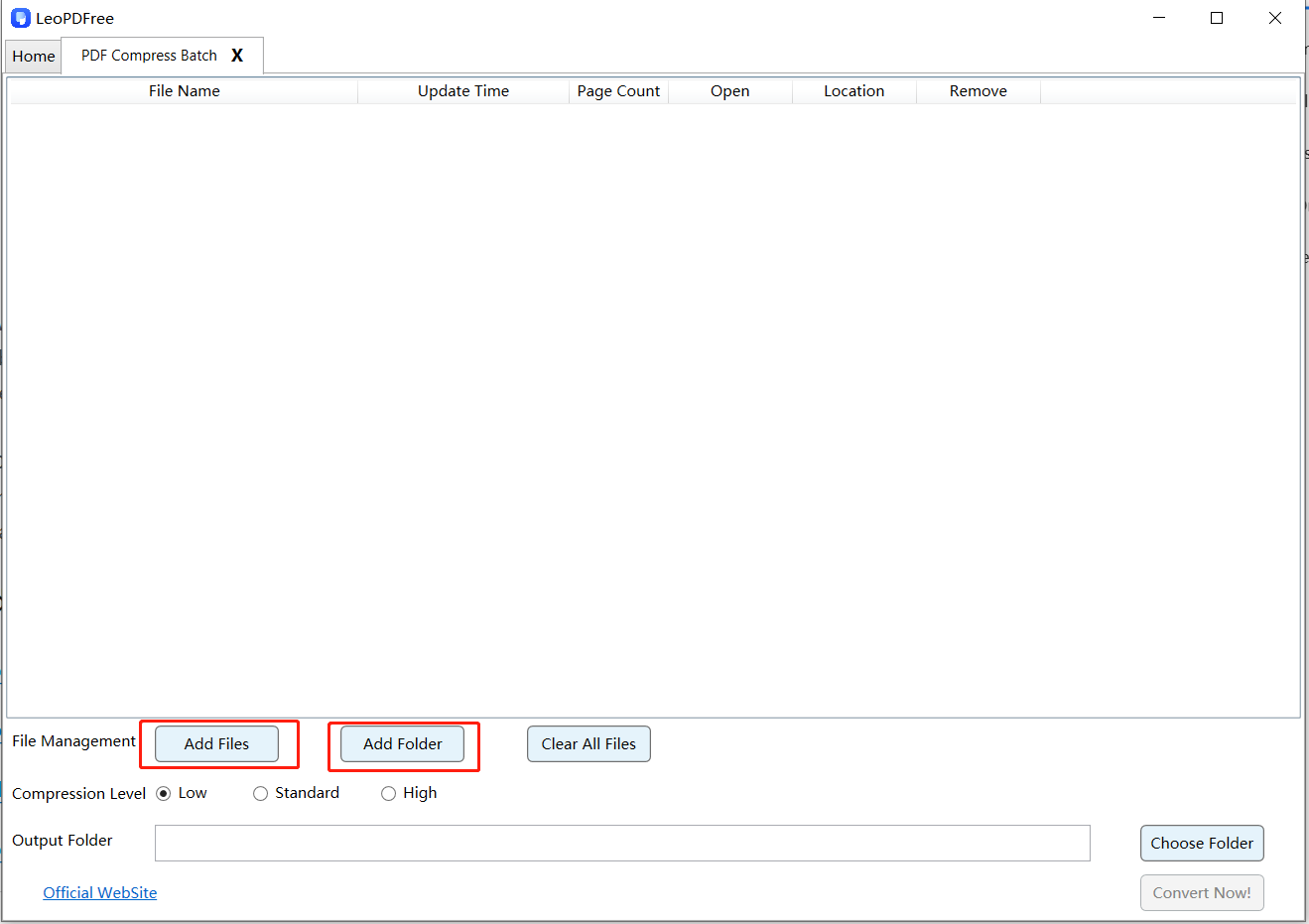
1️⃣First, download and install LeoPDF for free. Then open the software and click “Batch Compress PDF” on the interface. Next, click “Add Files” or “Add Folder” on the opened window to add one or multiple files you want to compress, as shown in the following figure:
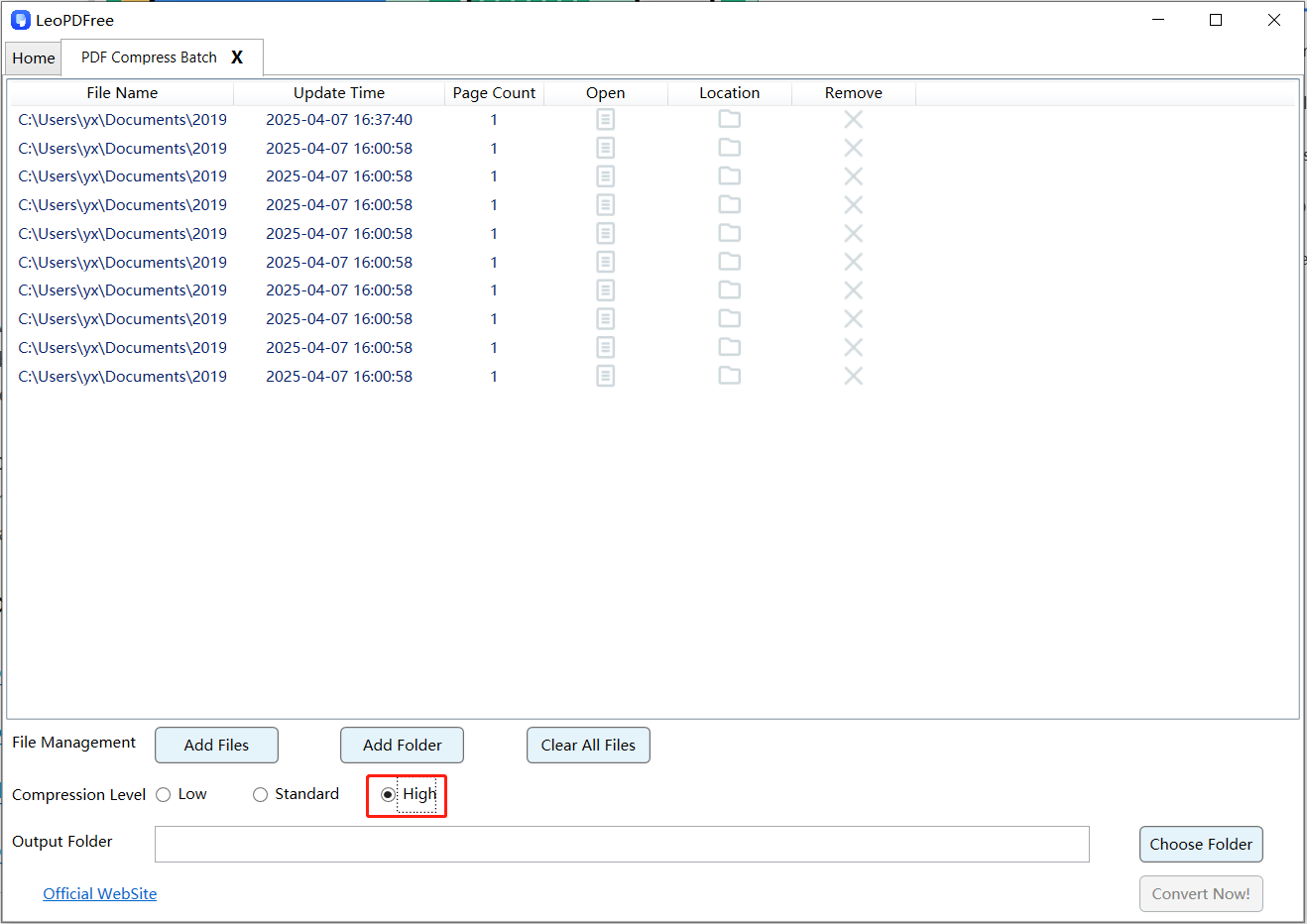
2️⃣The core of compression is selecting the compression level. You can choose “Low”, “Standard”, or “High” on the interface according to your needs. The tool will output the highest quality result based on your selection, as shown in the following figure:
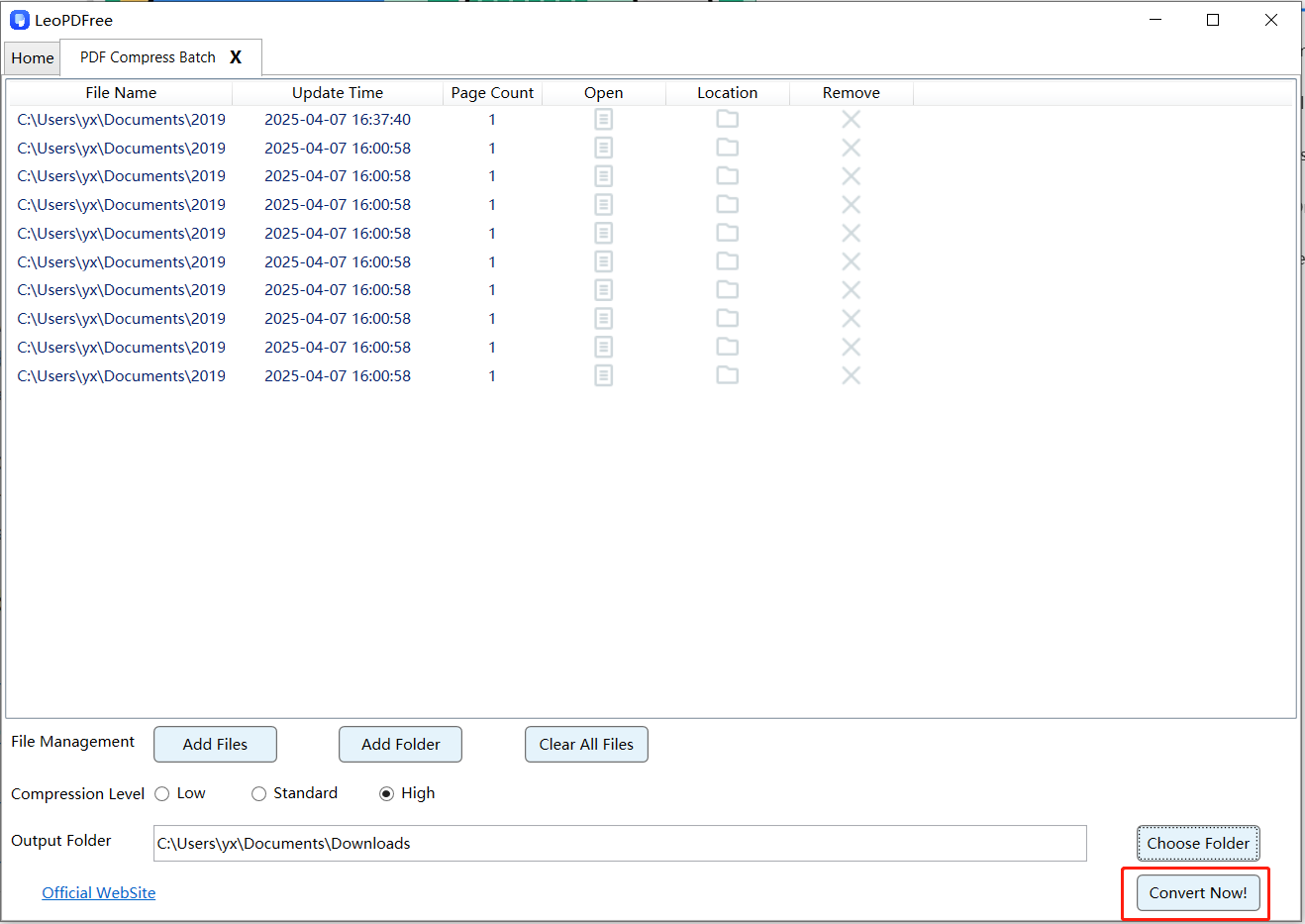
3️⃣Then select “Choose Folder” on the interface to set the save path for the compressed files. Once all compression preparations are complete, simply click “Convert Now!” and the software will quickly complete the compression task based on the file size, as shown in the following figure:
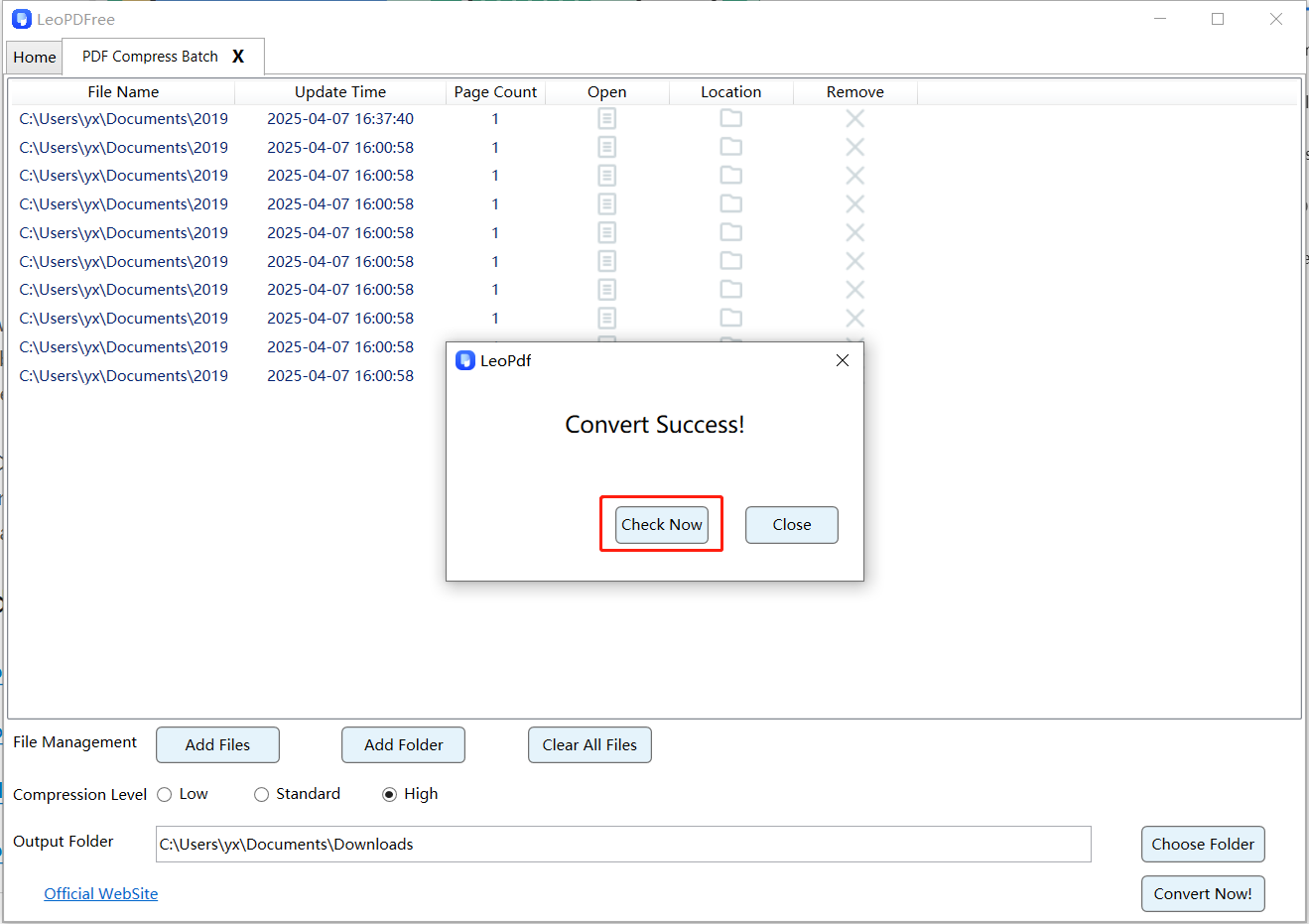
4️⃣After the tool pops up the compression success window, simply click “Check Now” to preview the compressed file. You can also check the effect via the saved path. It’s that simple and completely free – download and try it now!
Conclusion
LeoPDF is a completely free compression and conversion tool, known for being free, secure, simple, and fast. It also offers a variety of other features, such as page extraction, compression, splitting, merging, and PDF conversions (including to Word, PPT, and Excel). This article introduces this practical tool, which is particularly suitable for students and users with limited budgets. Well, today I’m sharing this free compression tool with you, and I’ll bring you more exciting content in the next issue.
