
PDF files are widely used for their cross-platform compatibility and stability, but single-page orientation errors (e.g., inverted scans, rotated inserted images) are common. Rotating a single page in a PDF seems simple, yet many users struggle with it. This article provides the current mainstream methods using fully free tools to help you quickly adjust page direction and enhance document professionalism.
Why do we need to rotate a single page of PDF?
Before operation, clarify common requirement scenarios:
Scanned document processing: Contracts, invoices, and other documents photographed by mobile phones are inserted into PDFs in the wrong orientation.
Image adaptation: Inserted charts and photos need to be rotated due to shooting angle issues.
Editing error correction: The page orientation is reversed due to misoperation and needs to be corrected individually.
Multi-page mixed layout: Some pages need to be displayed in landscape orientation, but the overall document is in portrait orientation.
Use the completely free LeoPDF tool.
LeoPDF is a widely popular offline PDF processing tool that supports free single-page rotation. It is ad-free and completely free to use.
The operation is as follows:
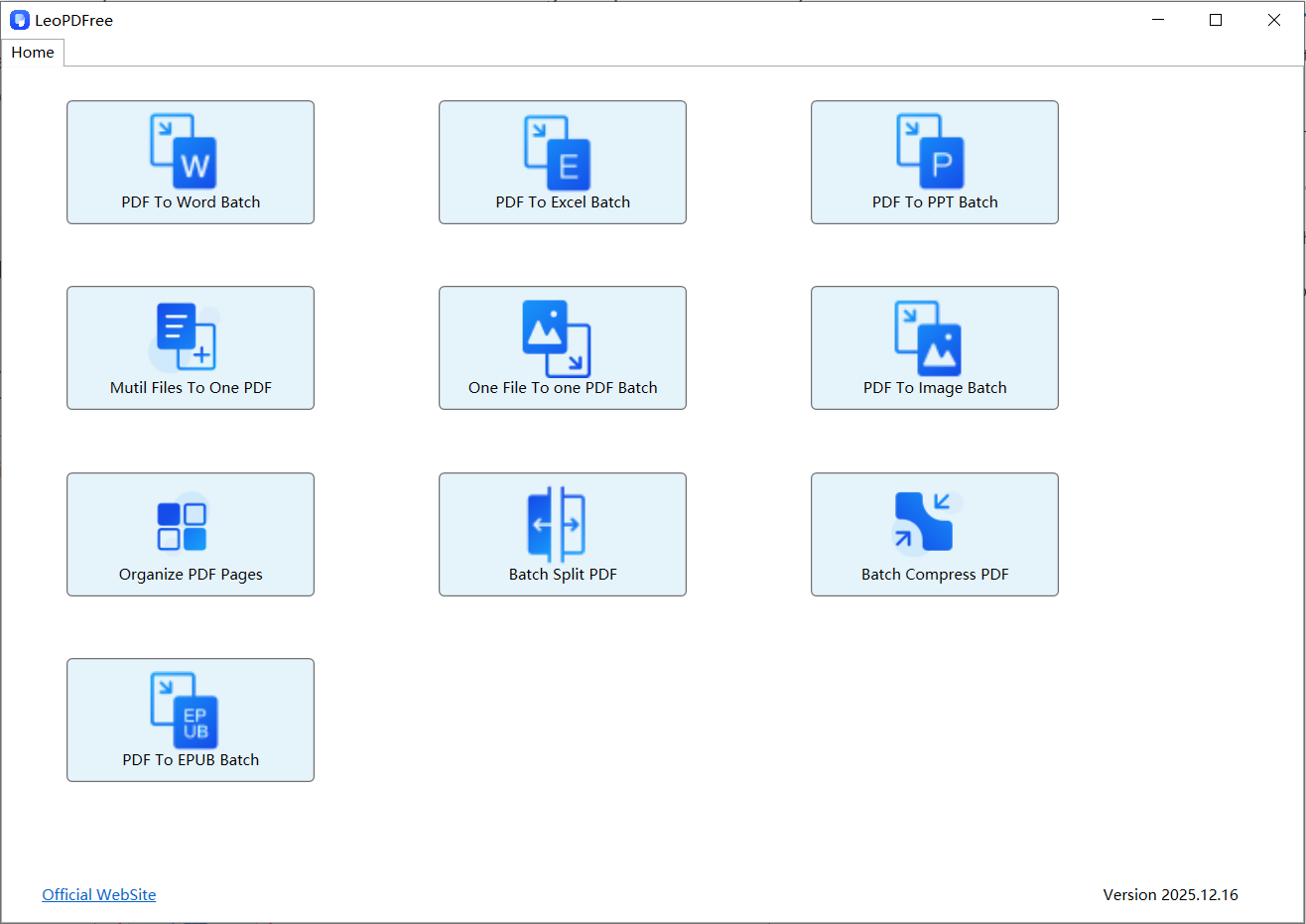
1️⃣.Download LeoPDF for free and install it on your computer. Open the software, and the interface is as shown in the following figure:
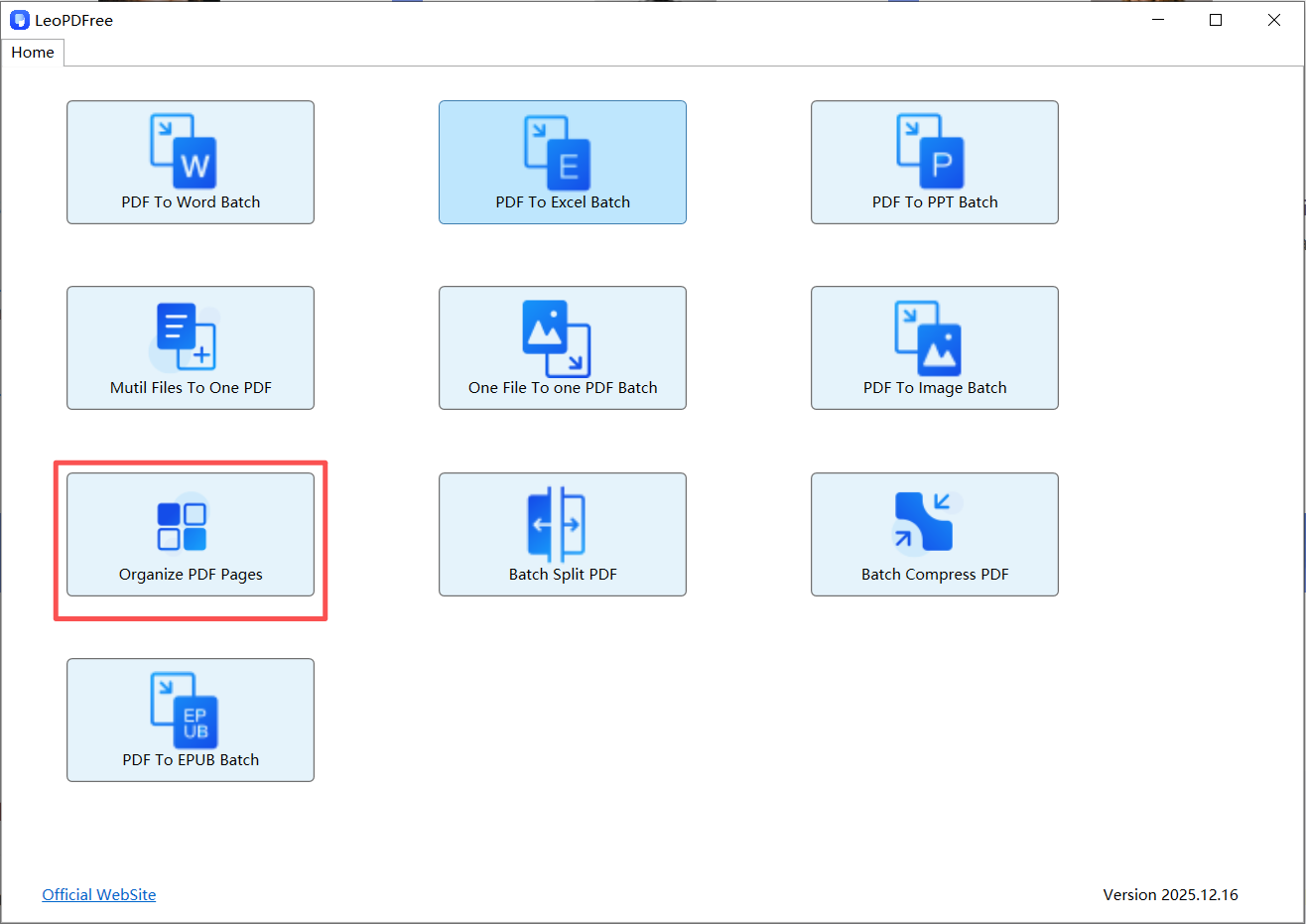
2️⃣.Click “Organize PDF Page” on the opened interface, as shown in the following figure:
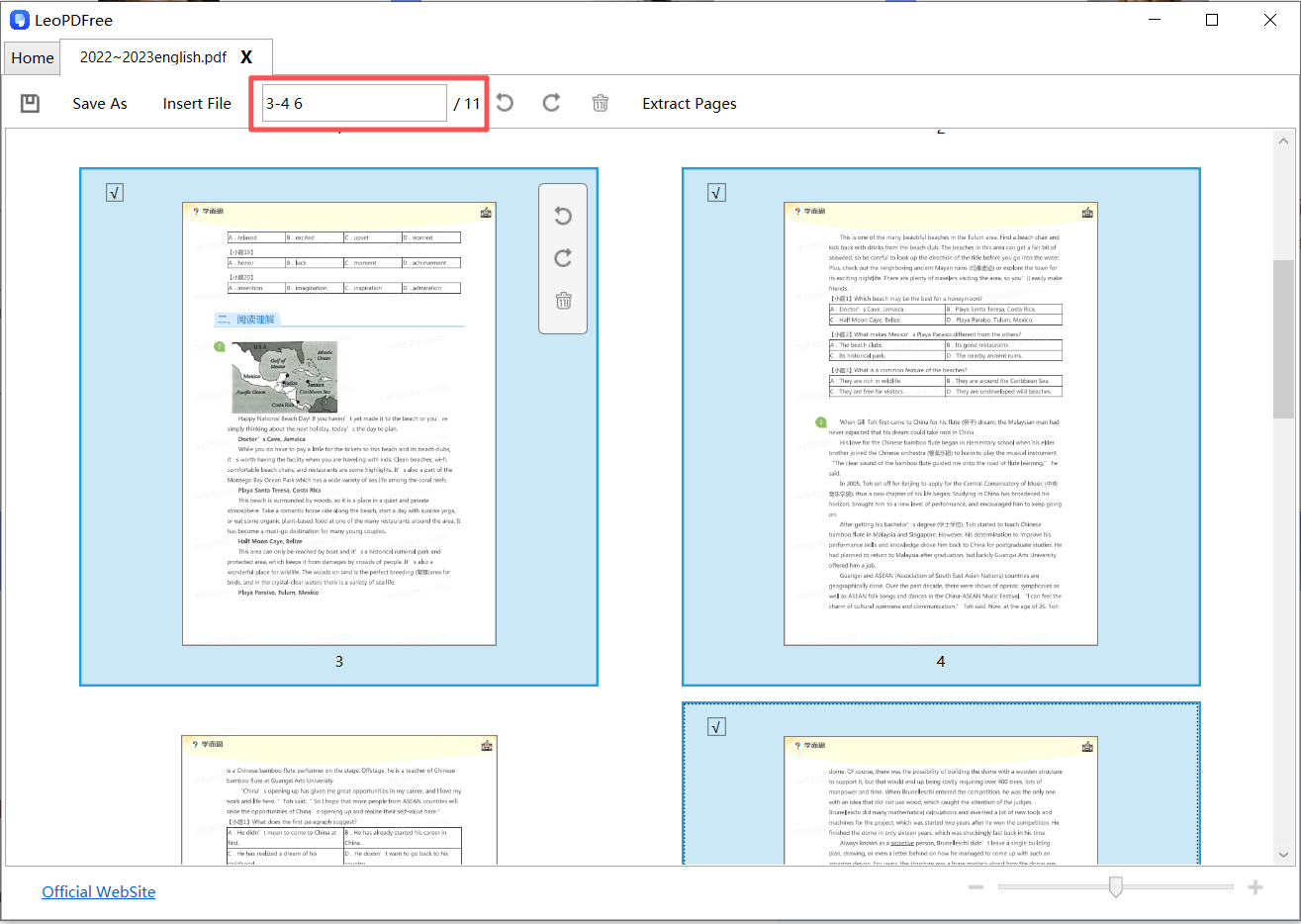
3️⃣.Select the pages to be rotated in the opened PDF file (you can use the mouse to marquee-select or enter page numbers in the edit box above), as shown in the following figure:
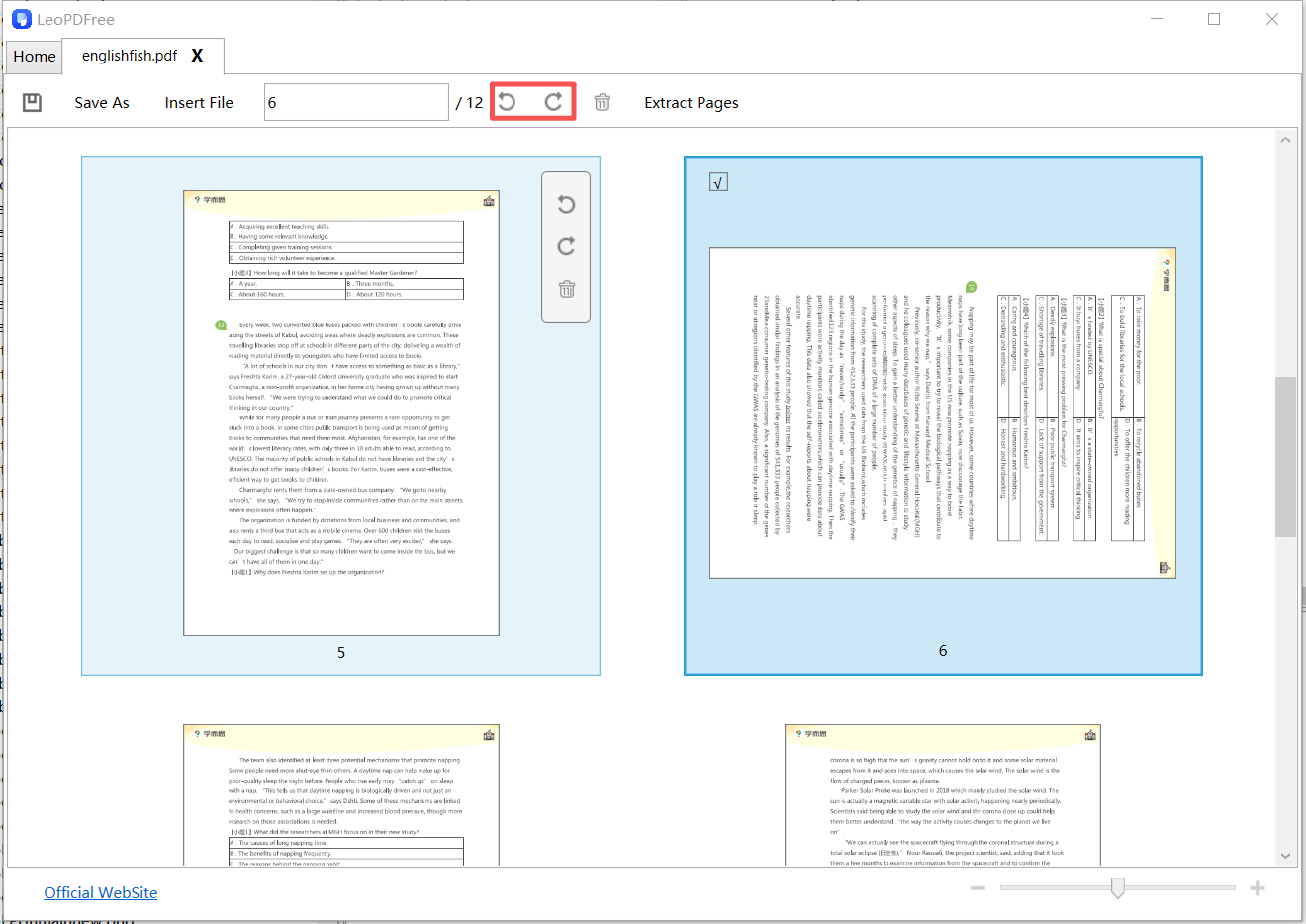
4️⃣.Click the rotation button on the interface, and the pages to be rotated will be rotated at different angles as needed, as shown in the following figure:
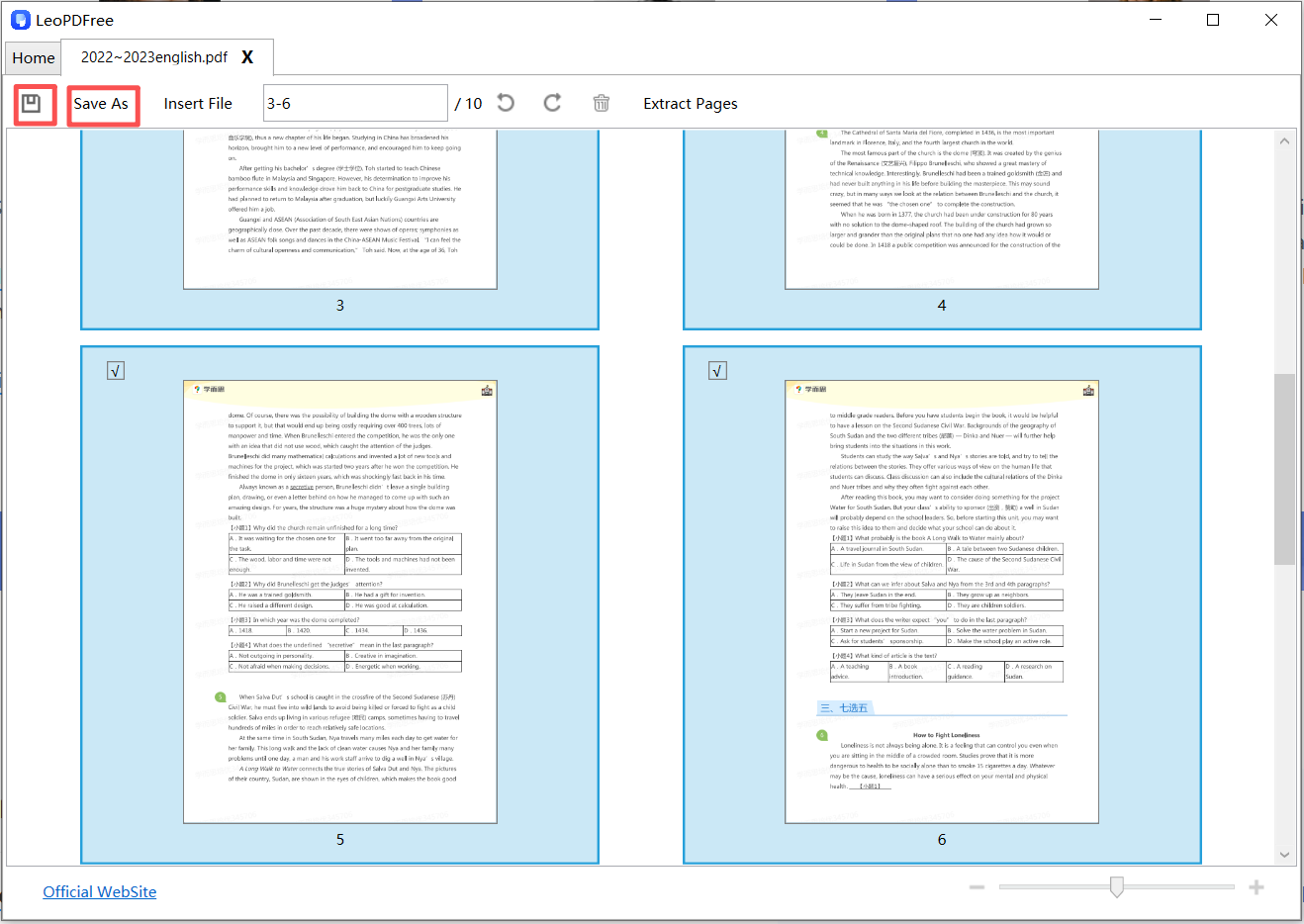
5️⃣.After all the pages that need to be rotated have been rotated, be sure to click the “Save” button or the “save icon”. This will complete the rotation of the PDF pages, as shown in the following figure:
Summary
LeoPDF stands out as a secure and efficient tool for rotating PDF pages. It excels with its free, efficient, and user-friendly features. Whether you are a university teacher or a student, you can give LeoPDF a try when you need to rotate individual pages in your thesis. As it is a completely free tool, it is very friendly to students with limited budgets.
